
Team
Product Designer: Senada Krvavac
UX Writer: Garth Kimbrell
Product Manager: Vibhor Sachdeva
Lead Engineer: Ivan Stroganov
Engineer Manager: Camelia Papadopol
Overview
One Medical is a membership-based primary care practice that provides care that is affordable, accessible, and enjoyable for all. With the addition of Amazon Prime members receiving discounted One Medical memberships came a large influx of new customers. This sudden increase aggravated a present problem: Improper pre-purchase and sign-up education that was not communicating what type of care is available based on a person’s location. Individuals who qualified for a virtual membership or who lived by offices but chose virtual regardless were unaware of its limitations in providing care. This problem has been increasing the percentage of churn and the rising number of members coming in from Prime was making that number go even higher.
I was brought on to find a solution that would help educate users on what membership is right for them, what kind of care their membership provides them, and to help make this decision easier for them.
Fast deadlines and quickly ramping up
When I was assigned to the project as the lead designer, I was originally given a quick turnaround time of just under a month. With such a short amount of time to fully understand the problem, parse through previous research and work, and come up with an iterative solution, I scheduled time with the right folks and started parsing through documents and data. I reached out to my manager, the product manager leading this project, a product manager who worked in this space prior to us, and the engineers assigned to partner with me.
To understand what was motivating the need for this project, I wanted to learn what was causing issues for our customers and the business, what the project scope and constraints were, and how we would be measuring design success. I scheduled and facilitated a project kickoff and was able to learn the following:
Pain points
Virtual memberships provide far less care options versus selecting a region for your membership. This is due to laws in some states that require at least a first appointment to be in-person before establishing ongoing care. Choosing a region for a membership (ex. New York) provides all forms of care not only in-person but also virtually. This isn’t communicated properly with customers.
A large number of new members chose virtual memberships during the sign-up process EVEN if they lived in a region that has One Medical offices. This was because they believed they could get all the benefits of being in-person through virtual as well. They were not aware that in-person would provide them virtual care as well, so they either stopped using One Medical or deleted their account and membership.
New members who lived 50+ miles from physical offices and only qualified for virtual memberships were unaware of the limited care options. They had no idea that their distance from an office was causing this problem. When customers bumped into care issues, they either stopped using One Medical or deleted their account and membership.
A large part of how the business made money was through billing hospitals for patients that live within the same region as them (ex. San Francisco Bay Area). We saw that roughly 25% of people who had virtual memberships actually lived in a region with offices, so we realized we were losing a large amount of income through this.
In-Scope
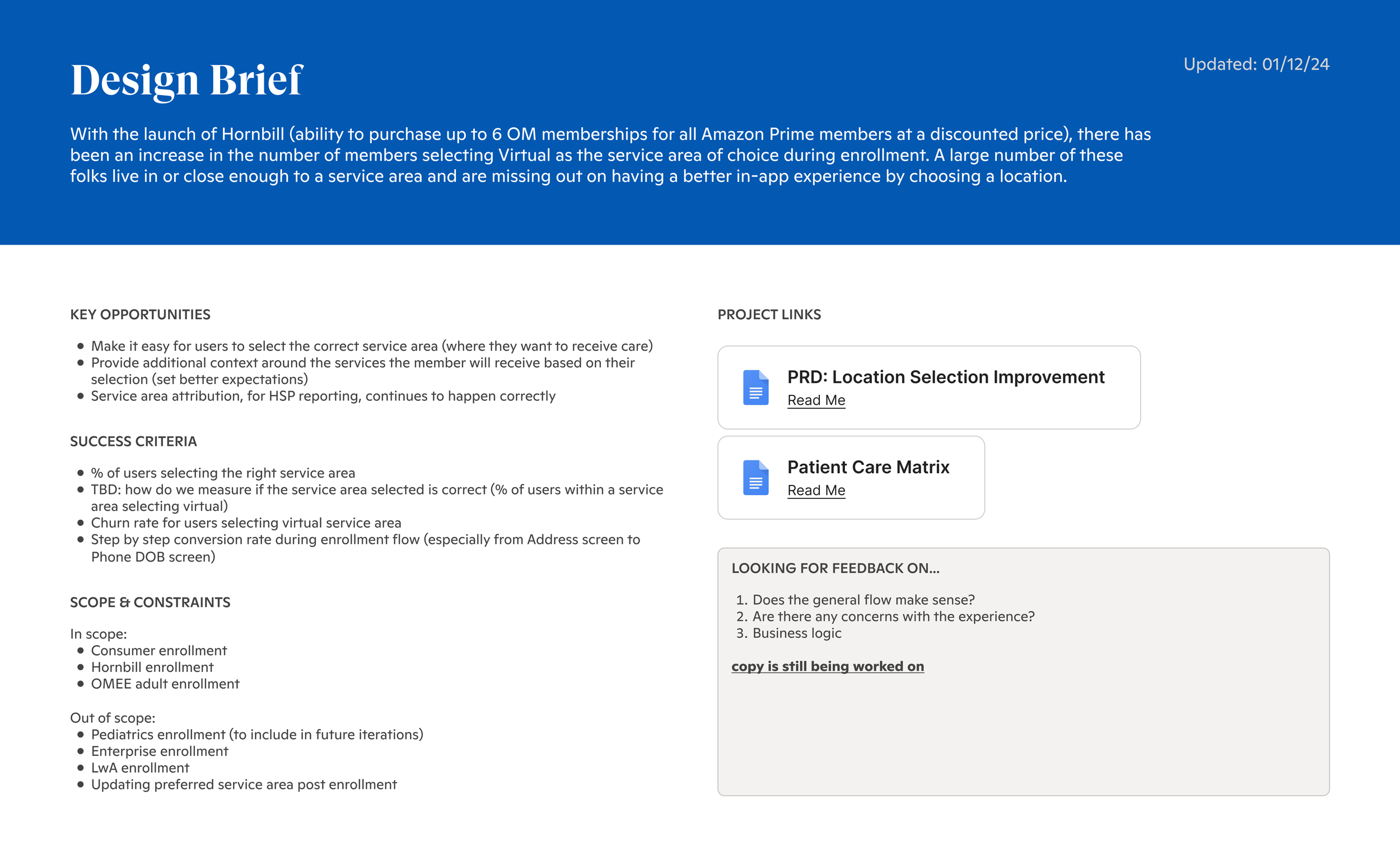
One Medical consumer and Prime member enrollment flows were in-scope to be redesigned.
Constraint
Updating preferred region/location post-enrollment was out of scope.
Not able to provide education through our site, through marketing, or anywhere else prior to signing up. The redesign would need to occur during the sign-up flow.
Success criteria
Increase the percentage of customers selecting the correct region so that HSP (Health Service Providers) could report accurate numbers to hospitals.
Decrease the churn rate for users who select virtual (<12%).
Product space research
Evaluating our current flow, previous research, and pushing back on our timeline
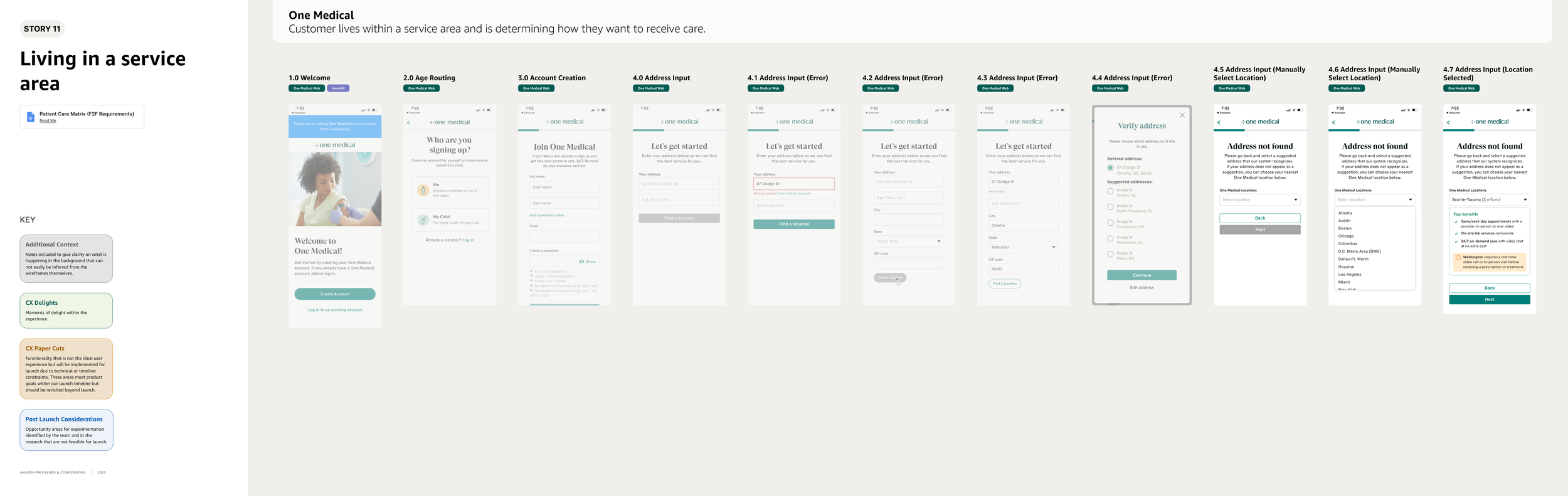
For me to be able to understand where we can make improvements, I scheduled time individually with other designers on my team who had worked on this problem space in the past. They were able to share documents, design files, and their knowledge with me to help get me started. Afterwards, I took a look at our current sign-up flow and highlighted that a bulk of our user’s errors were occurring during the location selection phase. I highlighted the point of redesign as section 4.0 in the following image.
There were also similar redesign attempts in the past by fellow team members, so I browsed through them to see what had inspired them and why certain solutions were either deprioritized or not developed.
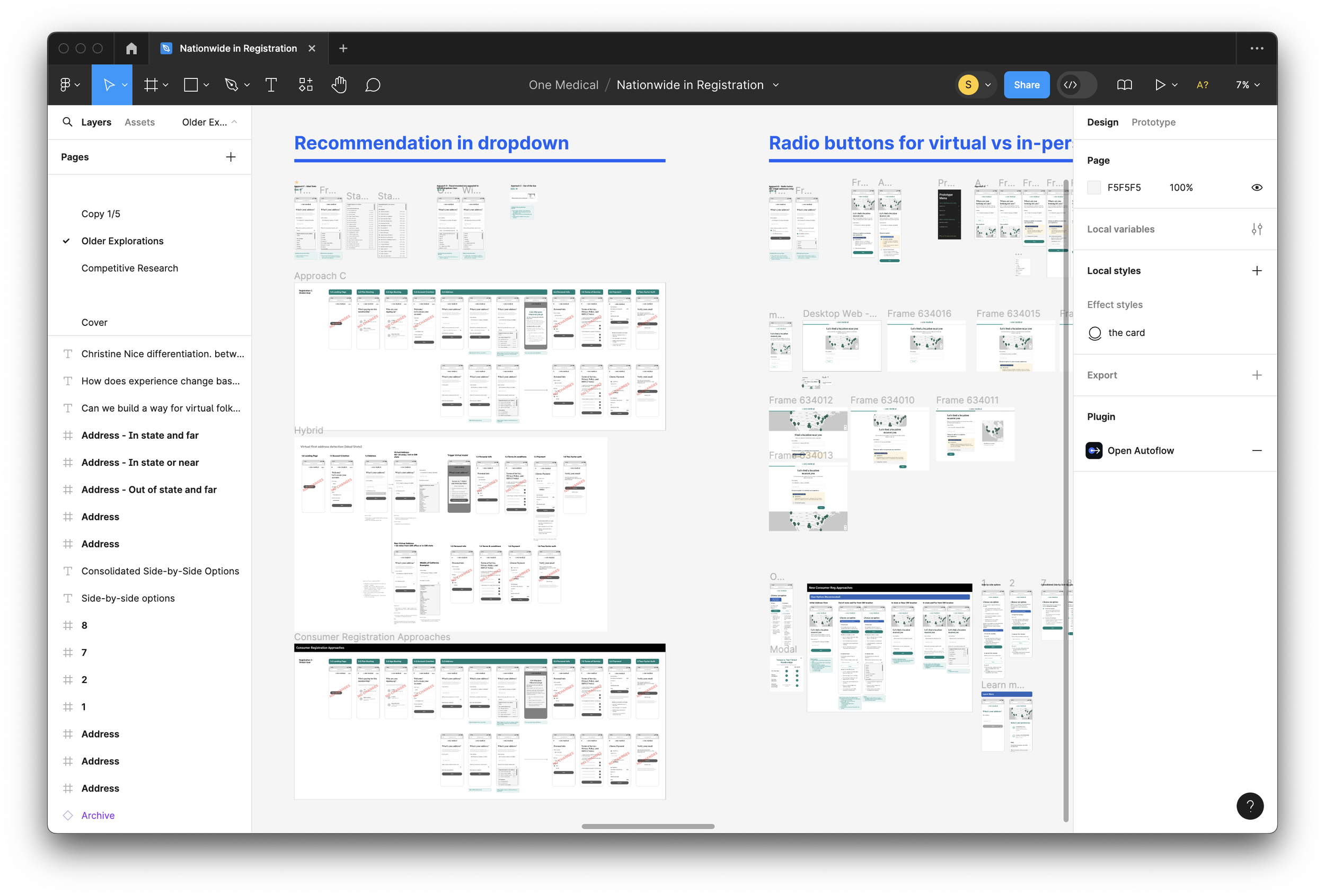
Older Explorations done from other team members.
Along with previous iterations, competitive research had been done as well. Looking through this, I was able to see how some did a great job at giving concise information about benefits while others had sign-up processes that were far too lengthy. My goal was to keep our sign-up flow as short as possible. This way customers would have less friction because from clicking through a bunch of pages, reduced cognitive load because all the information they need to make an informed decision would be on a single page, and there would be a reduced chance that they would drop-off due to fatigue.
I ideally would have loved to create education opportunities prior to sign-up but was unfortunately unable to bargain for extra time to work on this. More membership education was scheduled as fast-follows post-launch.
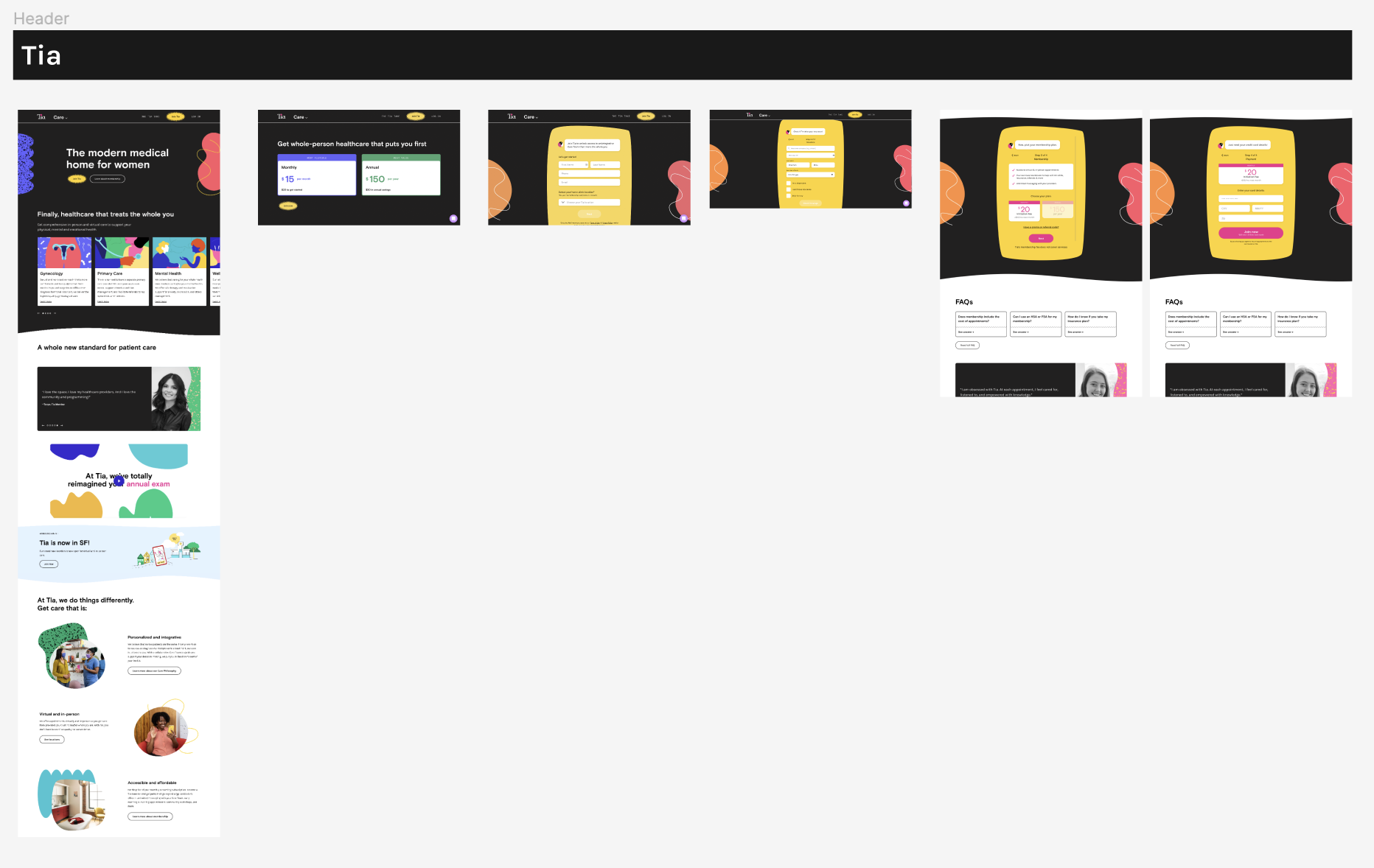
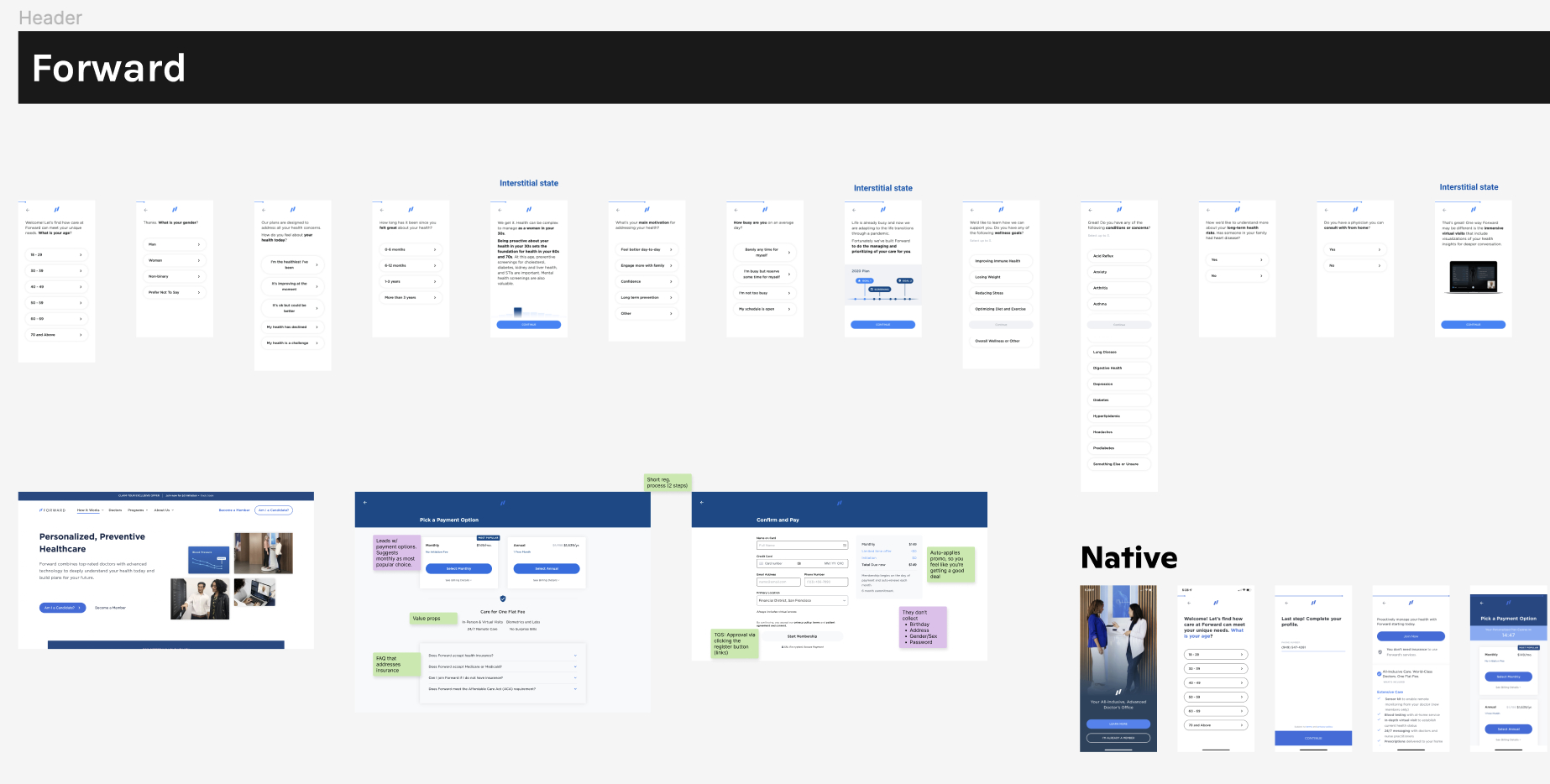
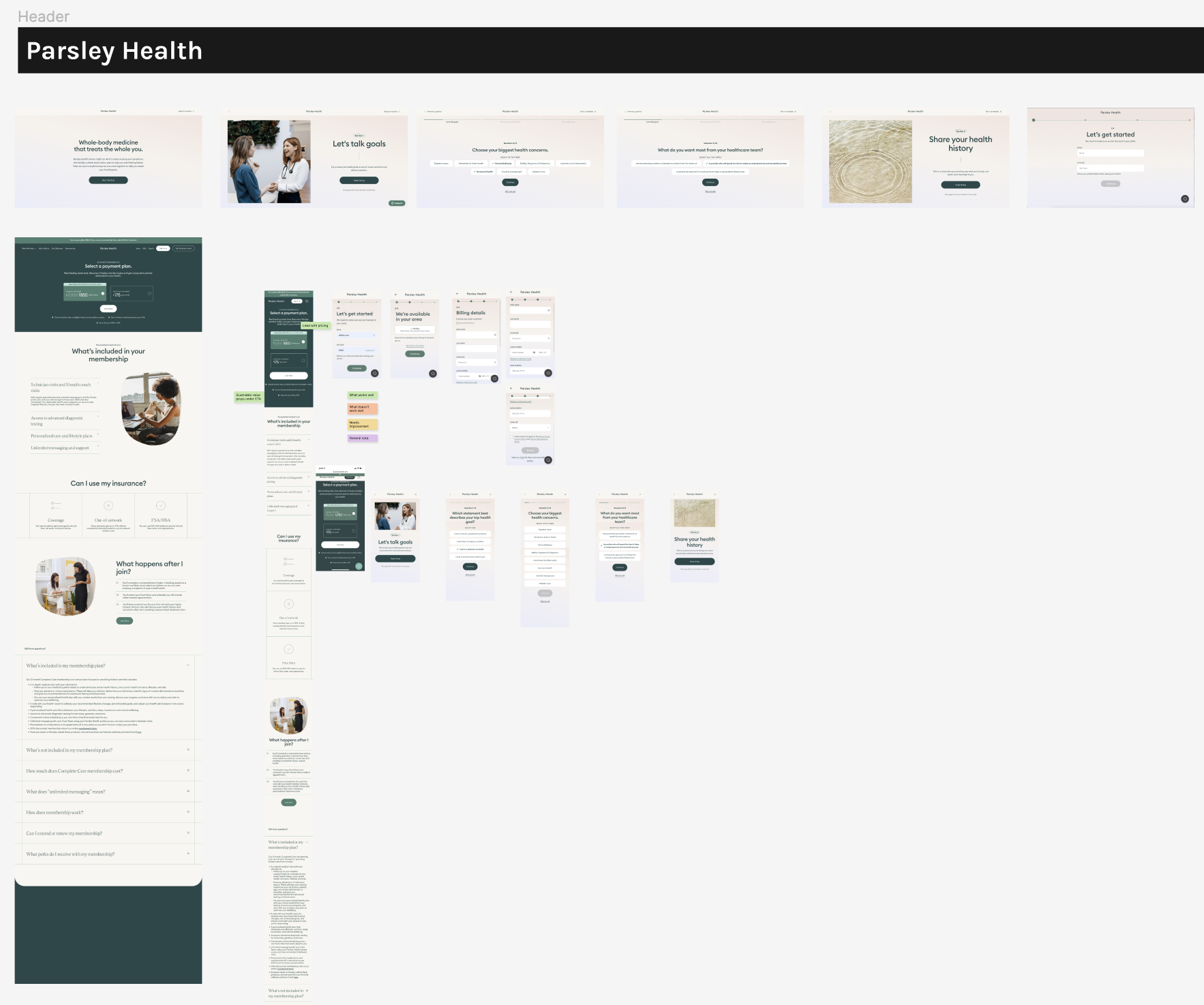
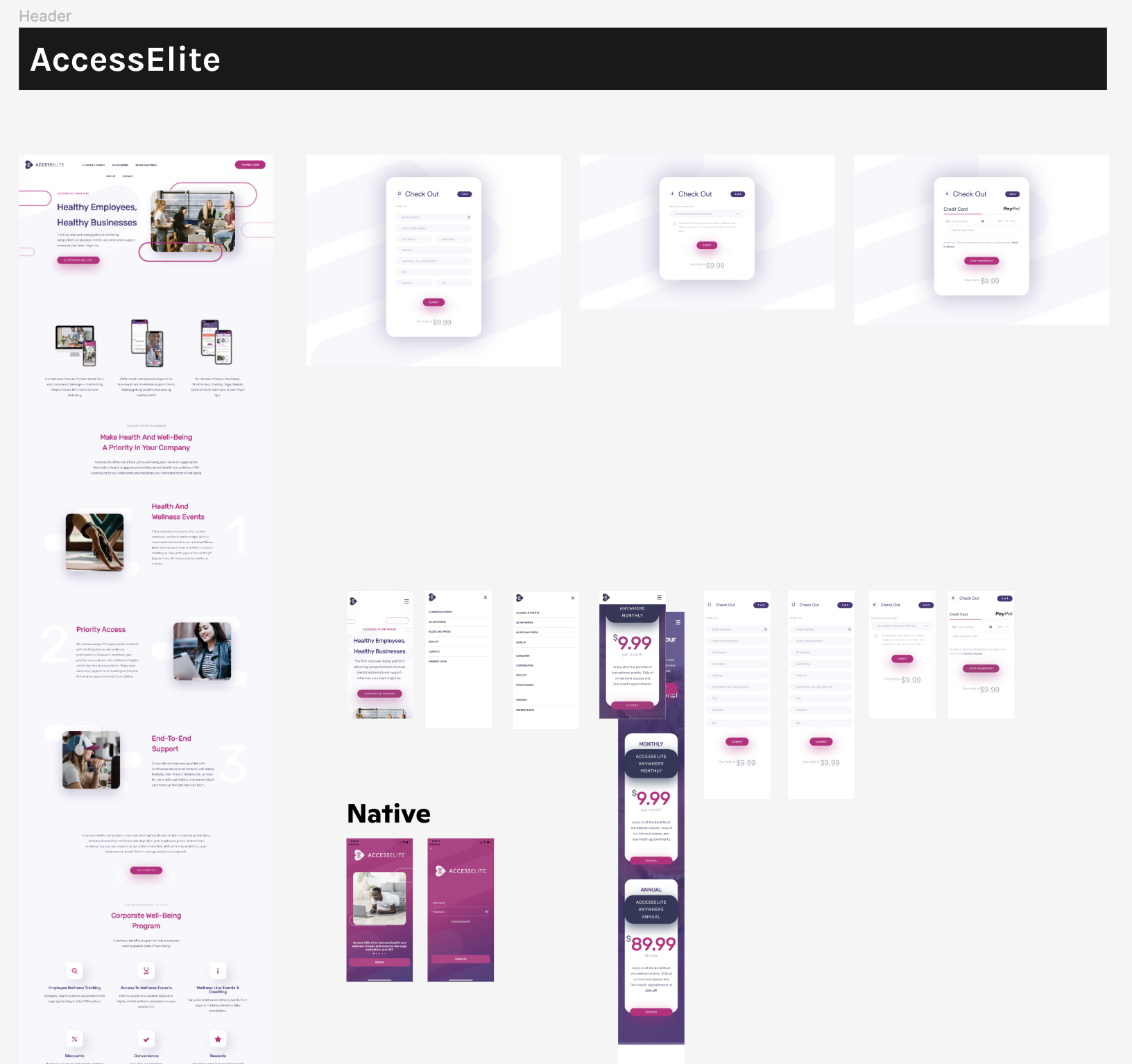
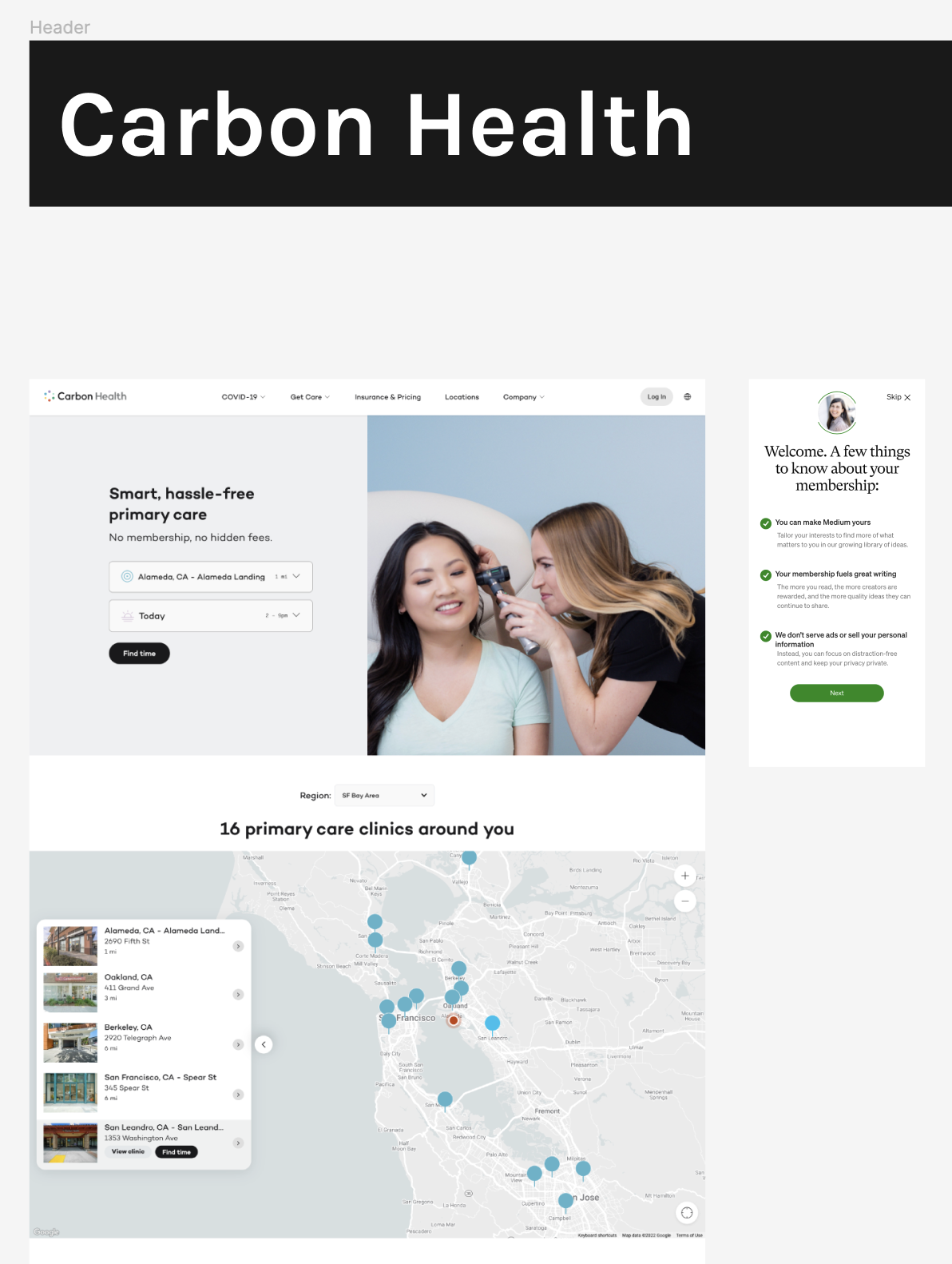
Competitive analysis (how our competitors are educating their members + their sign-up flows)
First round of design iterations
How much is too much?
When I began creating designs, I decided to begin work at mid-fidelity. Considering there was just under a month to get things rolling, I wanted the designs to begin reflecting the potential feel while also not promising too much in terms of content. This really helped during discussions with stakeholders because they were able to focus on how the new flows presented information without getting too hung up on what was written.
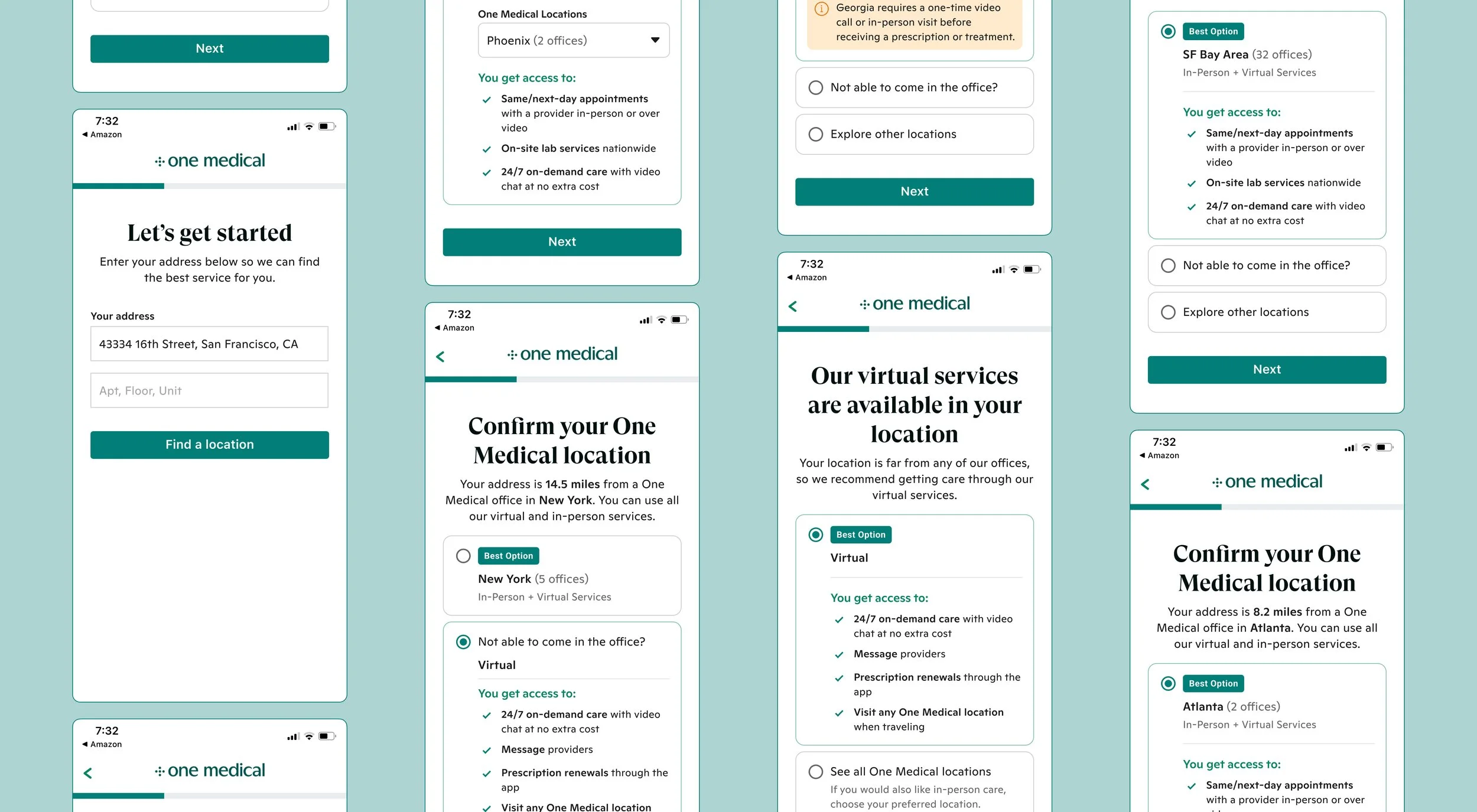
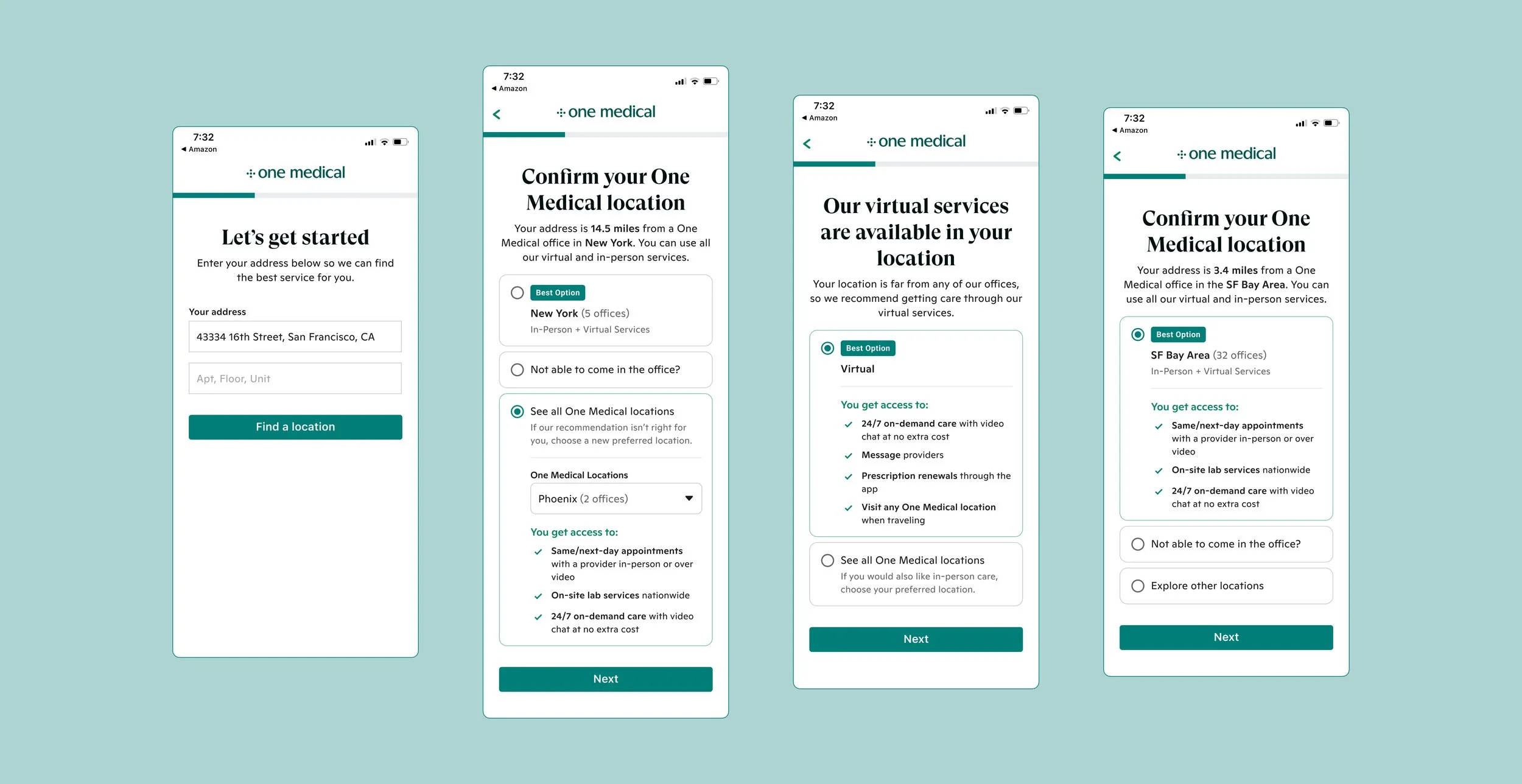
I started the work focused on how to best share the information without overwhelming users. A teammate of mine had shared that, in past user tests, users complained of being overwhelmed by a wall of text and not knowing what to do with it. I needed to balance the following: details on what they were doing at each step, what would be in their best interest, and then informing them of any important state laws (depending on their location). What I also wanted to introduce was the idea of customers entering their address and having our system take the burden off their shoulders and provide them with the best results. Our current flow puts this burden entirely on customers.
Cross-team collaboration struggles
After designing four potential options as solutions in less than a week, I pulled my manager and product manager into a call to go over these designs. At the first half of the project, I struggled with getting the right engineering voices into meetings due to shifting high-priorities or ‘fires’ that needed to be put out. To help mitigate this, I would bring my manager into meetings to bring in a different perspective or exchange Slack messages with any engineer who could spare the time to answer my questions or give feedback.
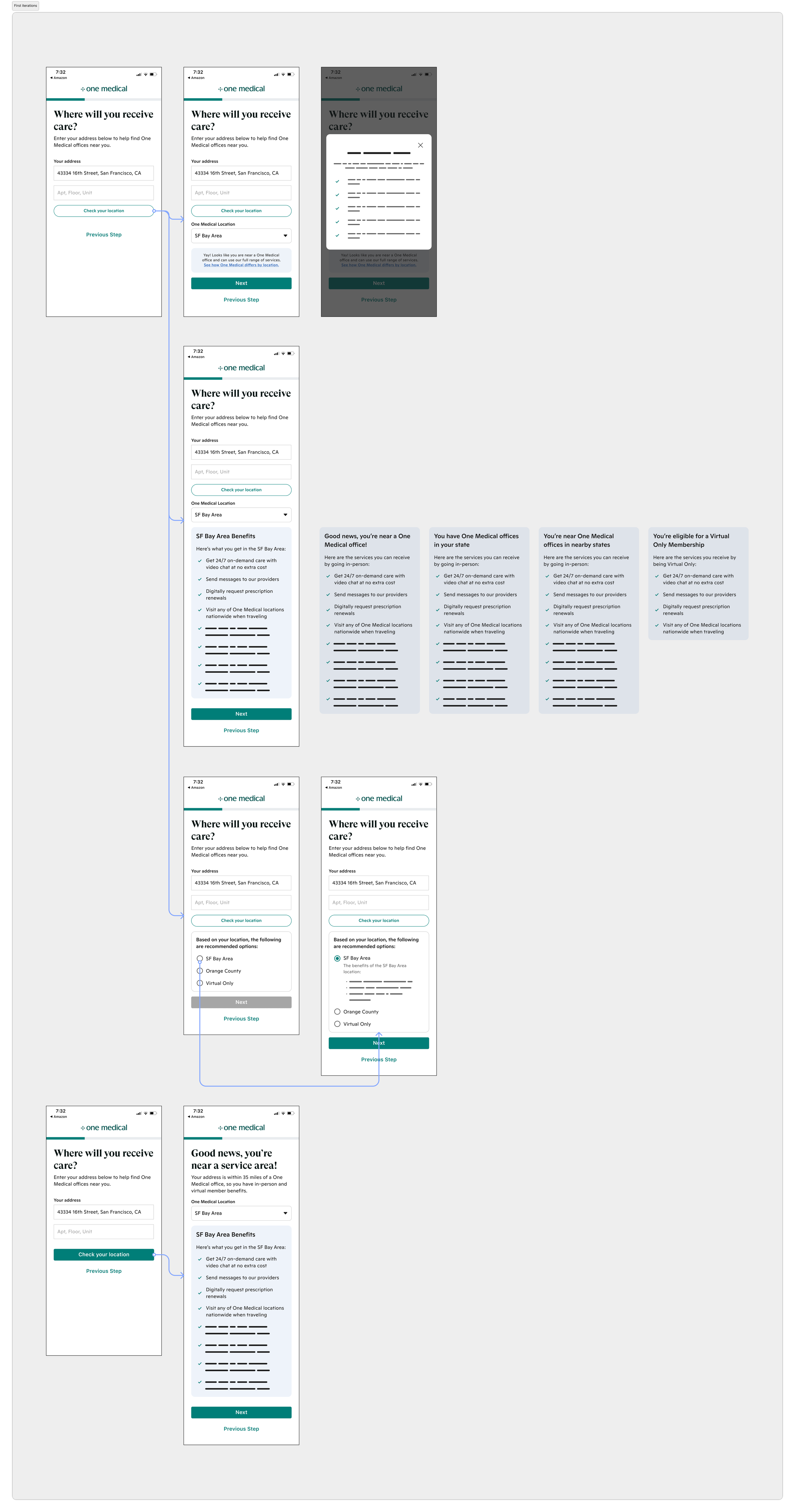
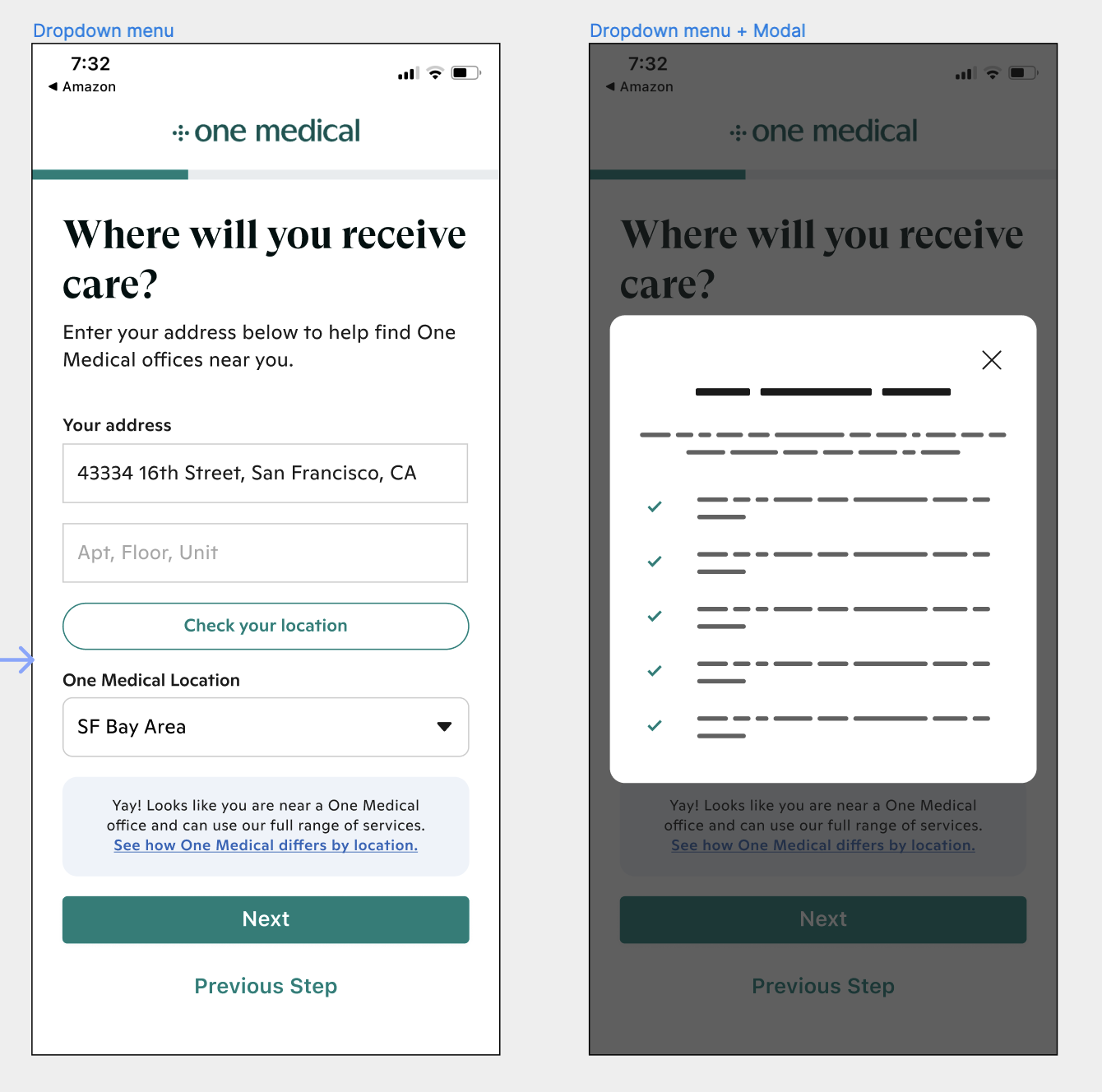
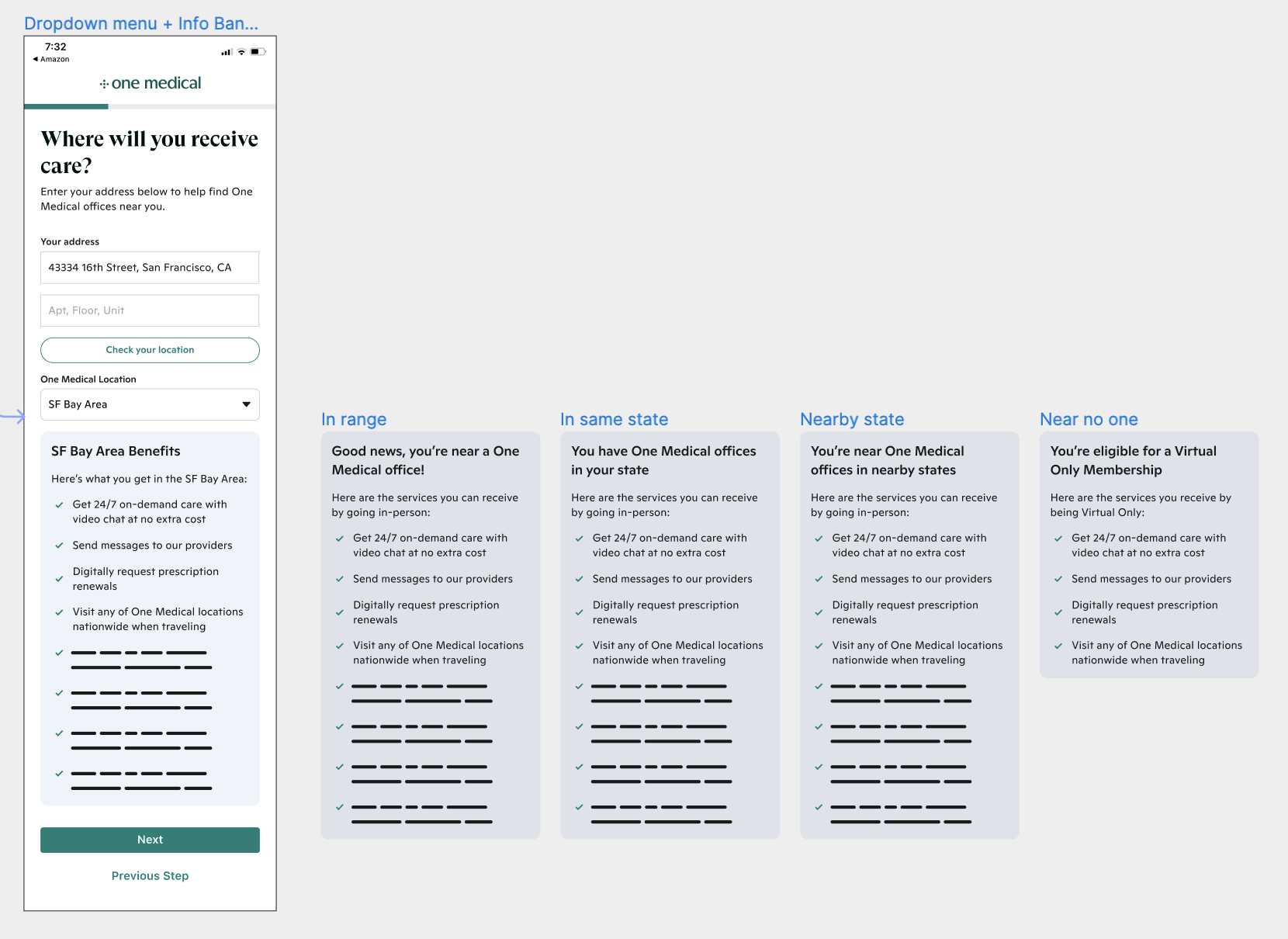
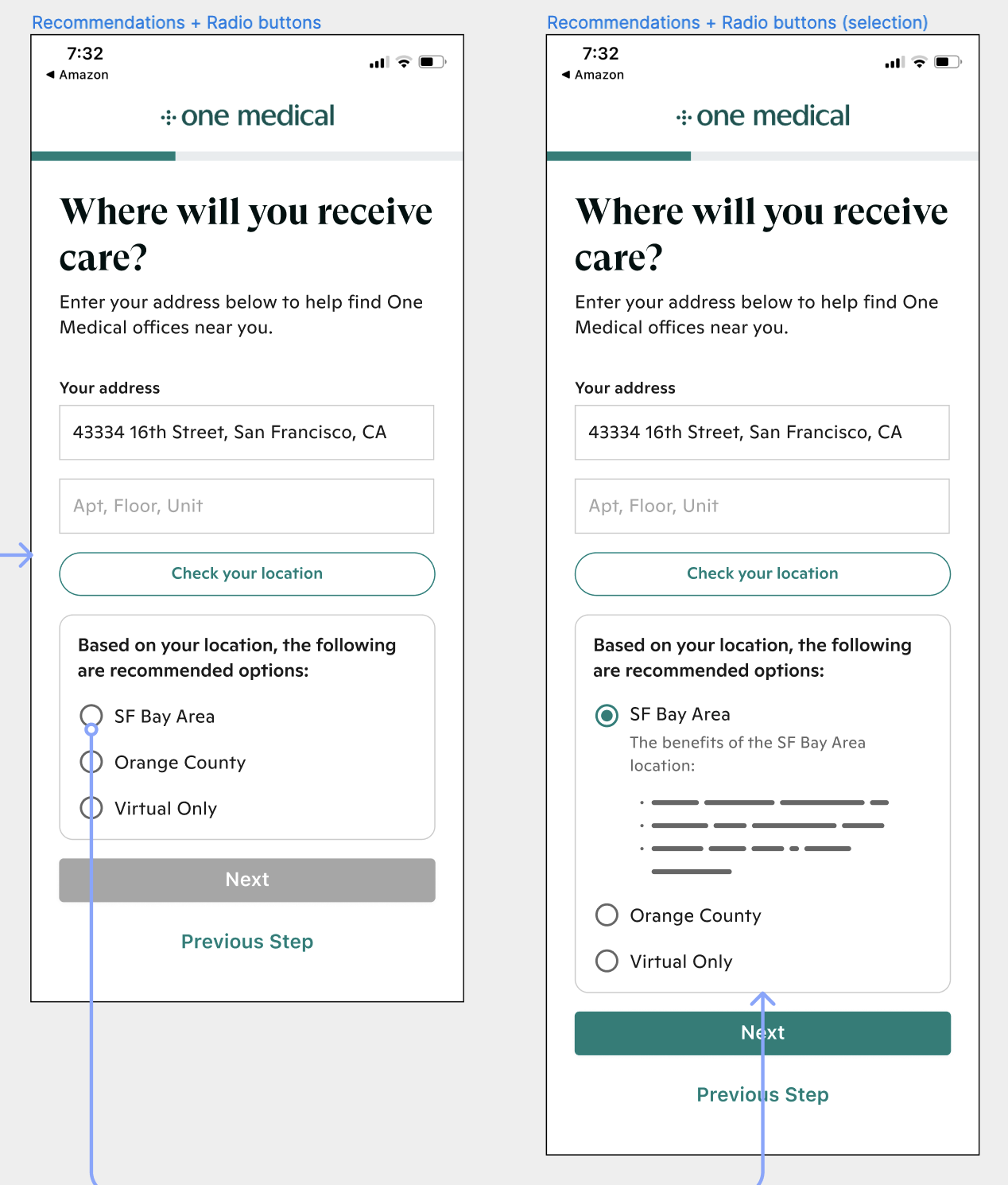
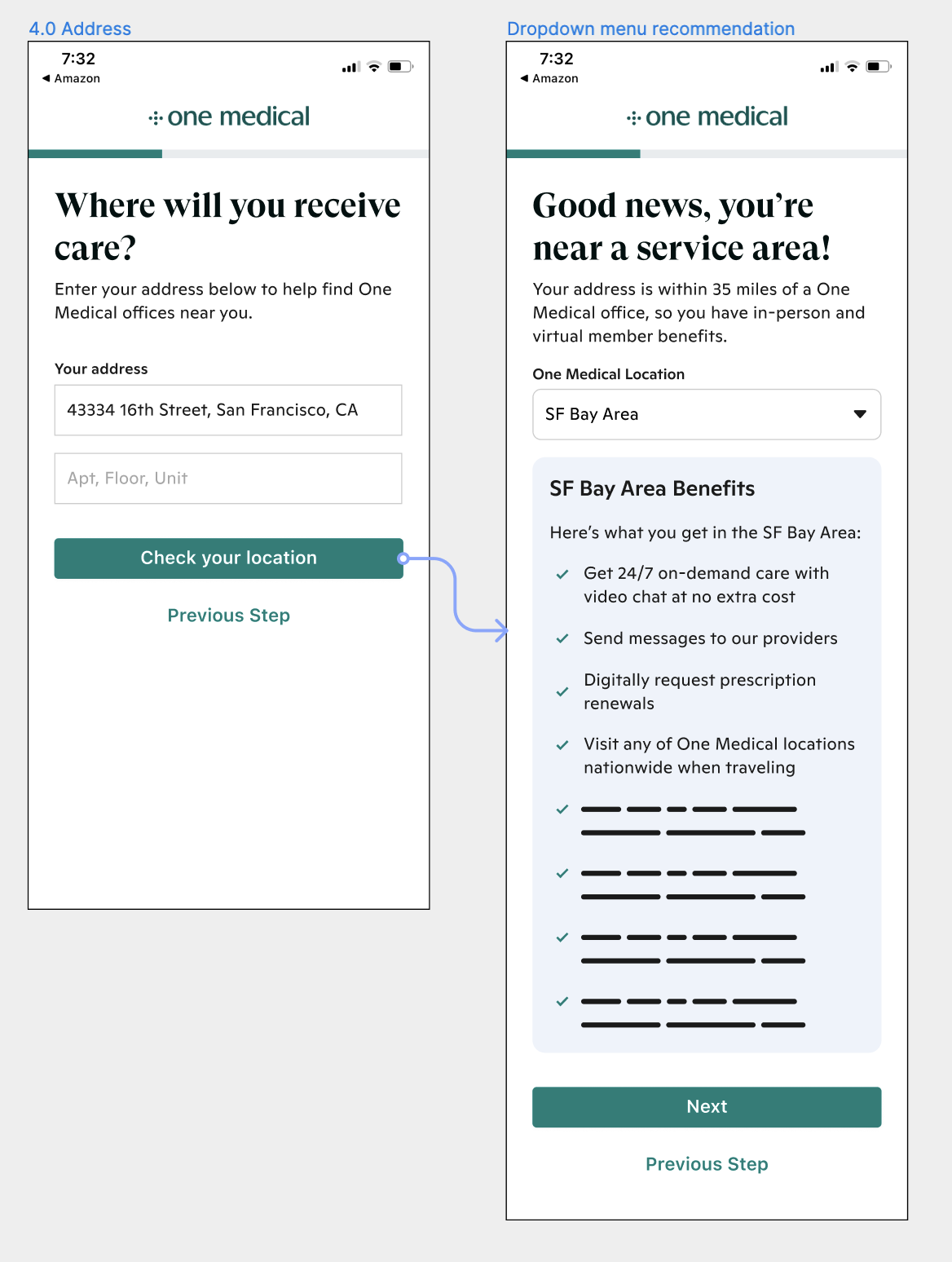
This first meeting ended up really setting the tone for the rest of the timeline and potential solution. After going back and forth over what each option brought to the table, we all agreed that some combination of solution 3 and 4 would provide great results. I also shifted my mindset and pitched the idea that it would be in the best interest of the customer to split all of this information into two pages. The first page input would produce an output for the customer on page two, an experience I believed would lessen cognitive load and be more intuitive.
Extending our timeline and partnering with UX writing
I also pushed the team to allow for more time on this project instead of the original three weeks of work. I was able to convince our product manager after showing how much work was needed not just for the visual and experience design, but especially for the content design. The motivation for this project was to help customers better understand what they were purchasing, so it would be a shame to not give extra time to really nail the content. I was able to buy an extra month of time and immediately joined UX writing office hours to loop our writers in on the project priorities and what help would be needed. Our lead writer had available bandwidth, so he and I paired often every week to get closer and closer to content that solved for paint points while also keeping the language inclusive.
Shaping the logic behind the experience
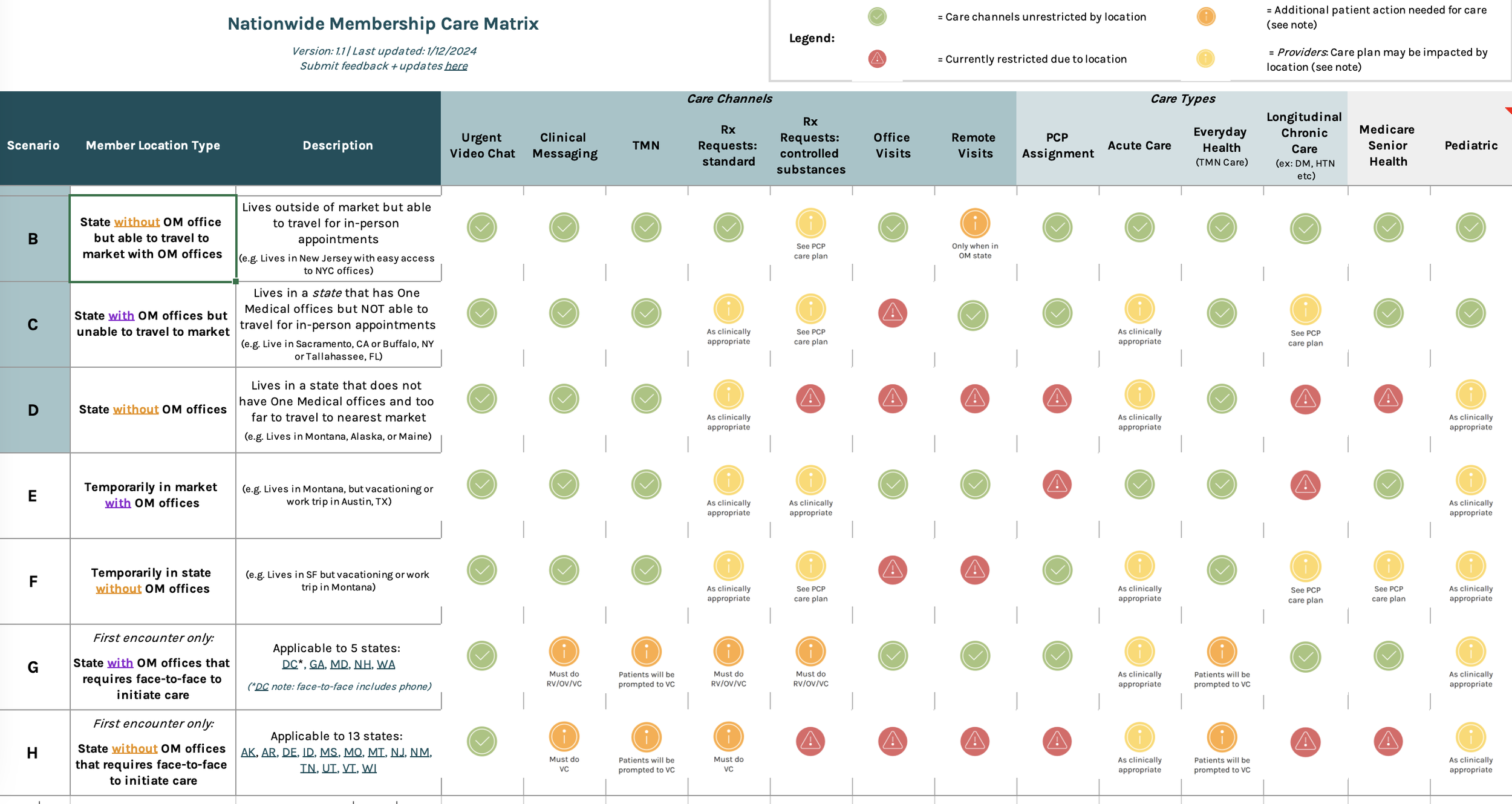
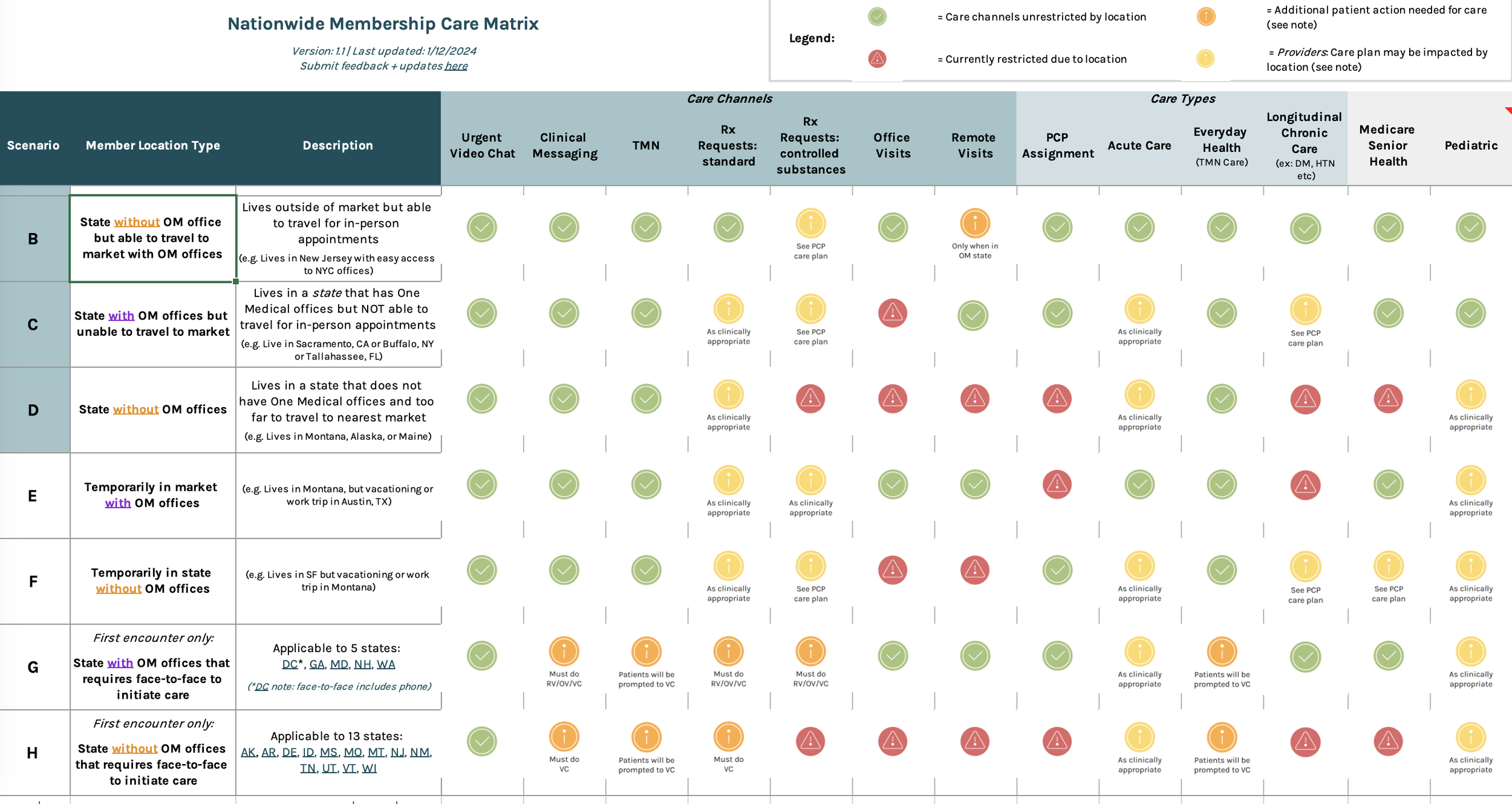
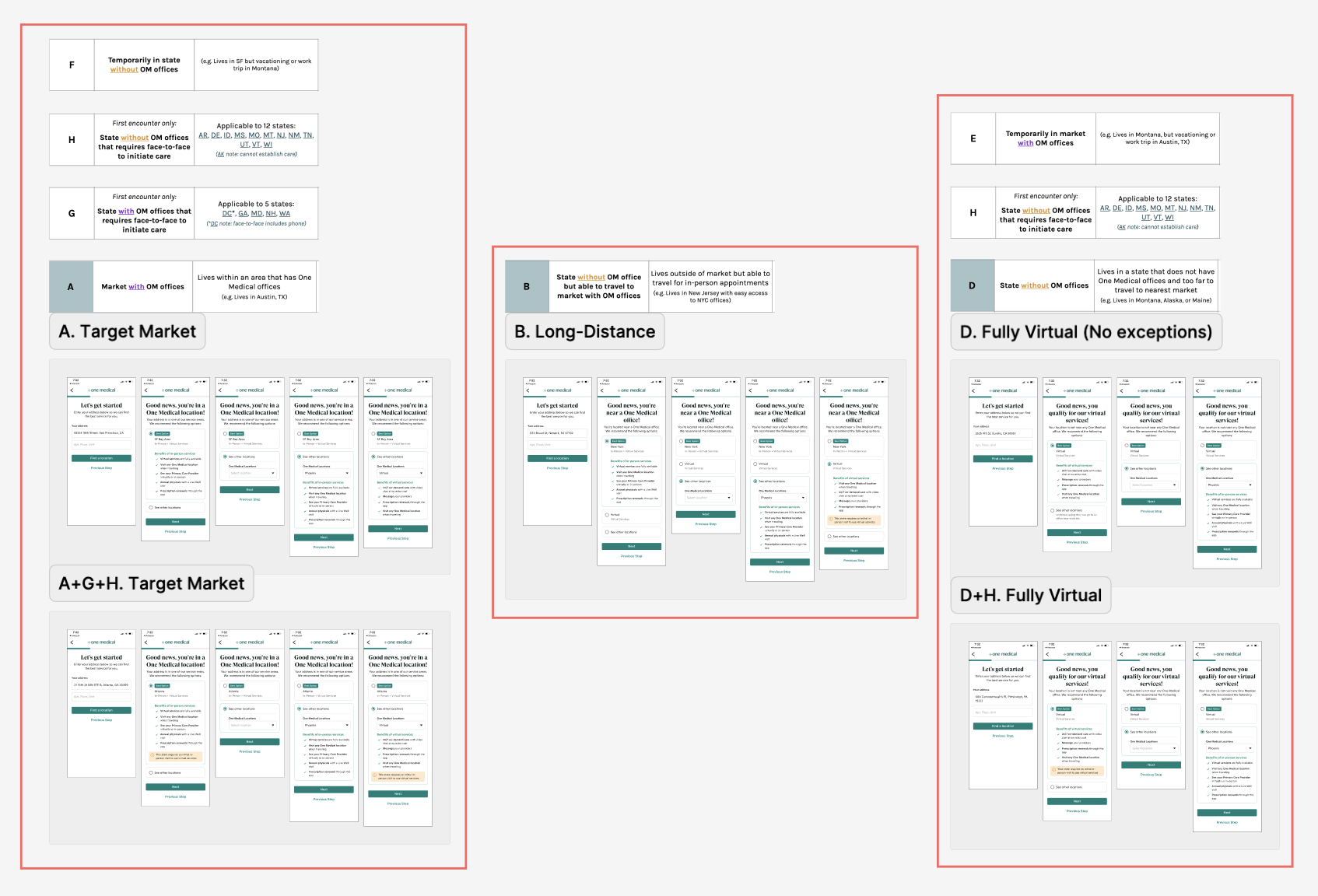
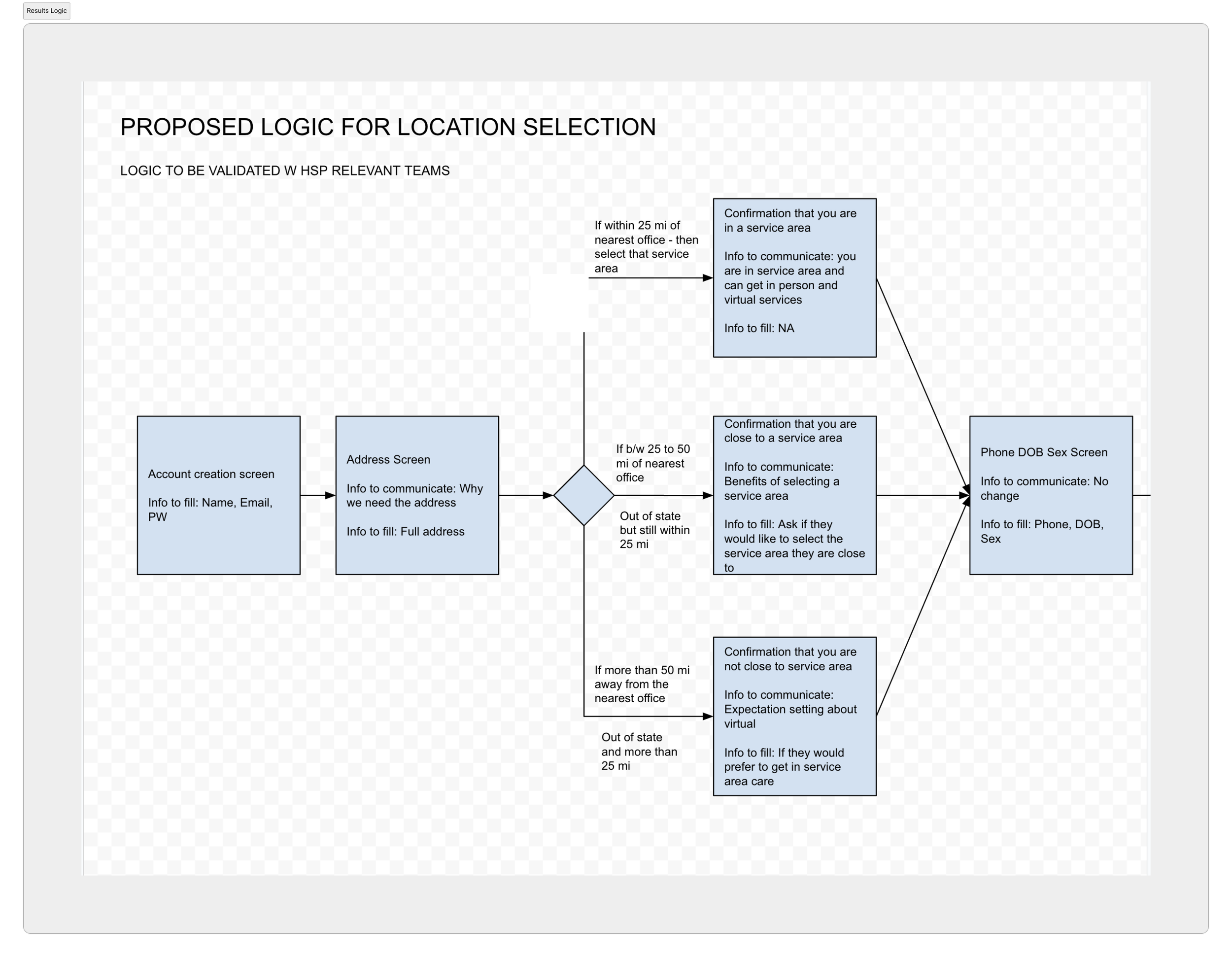
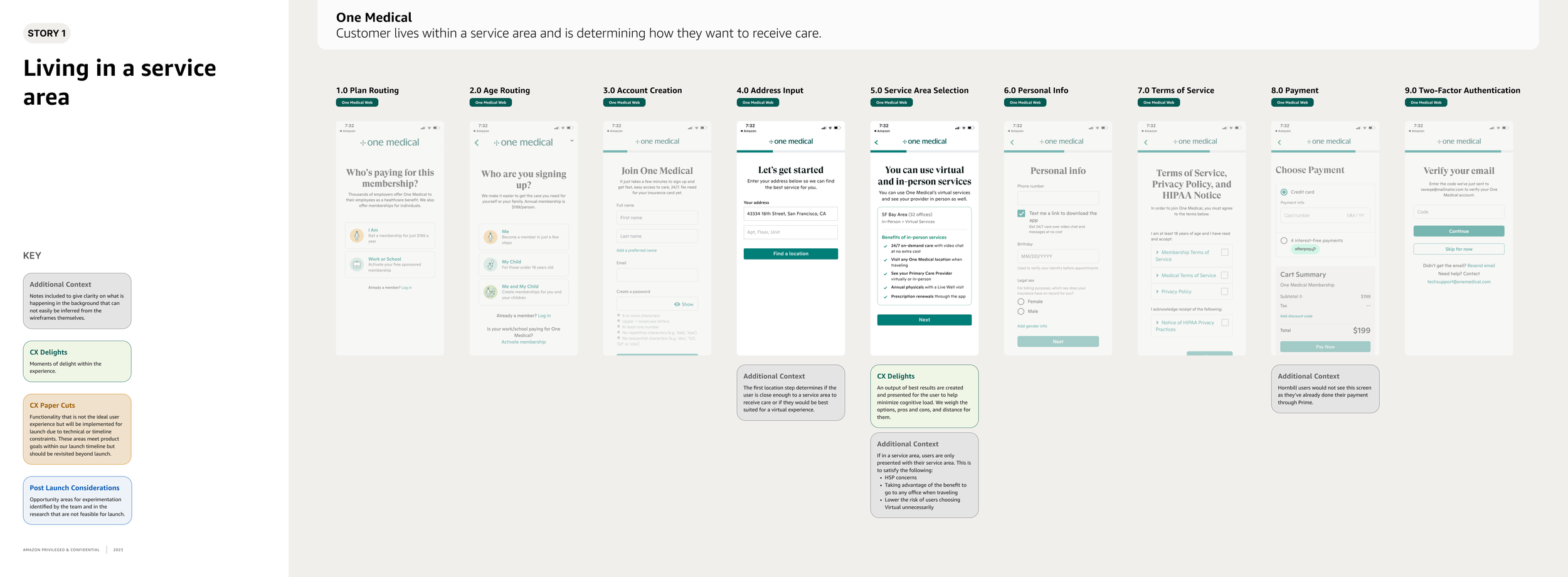
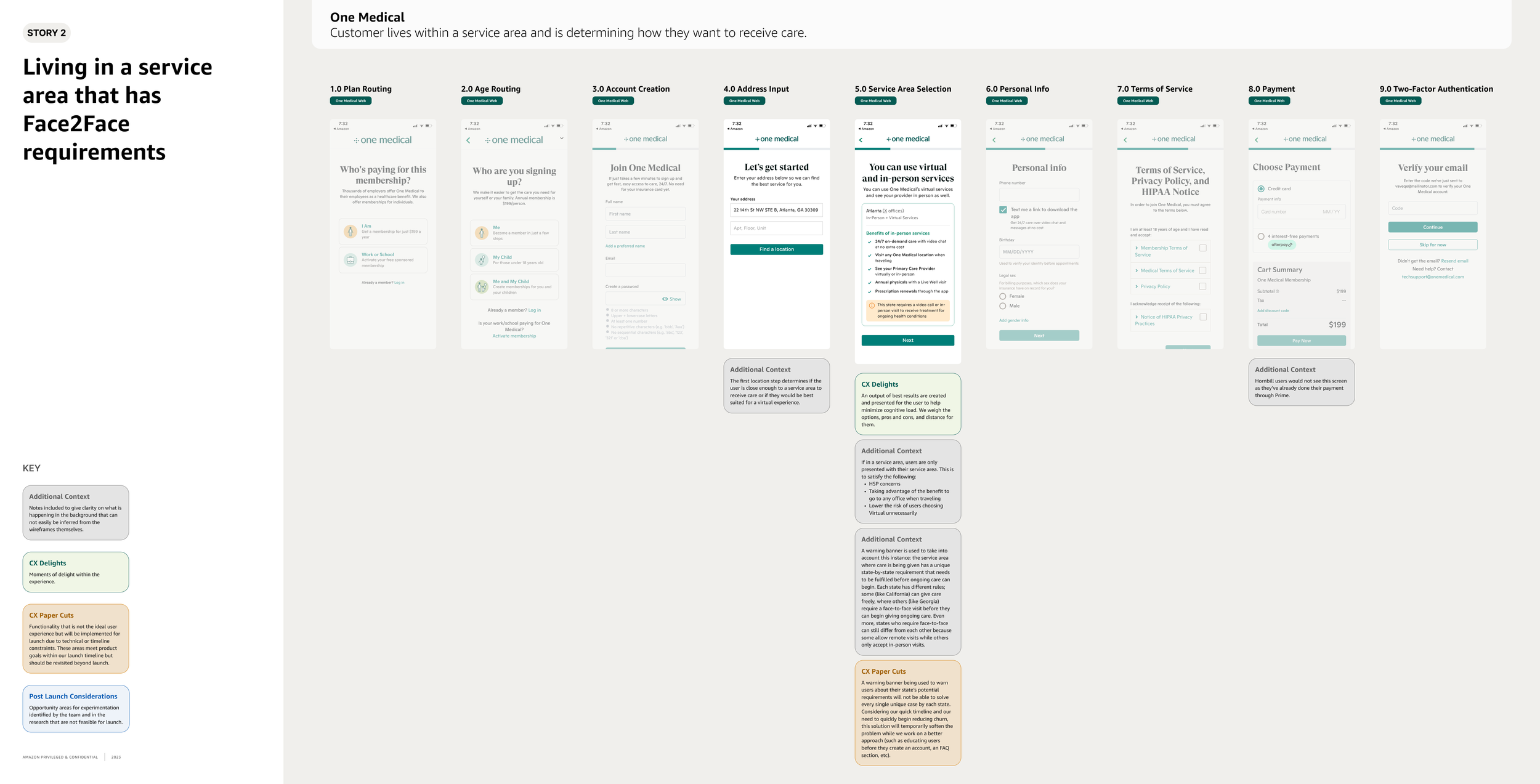
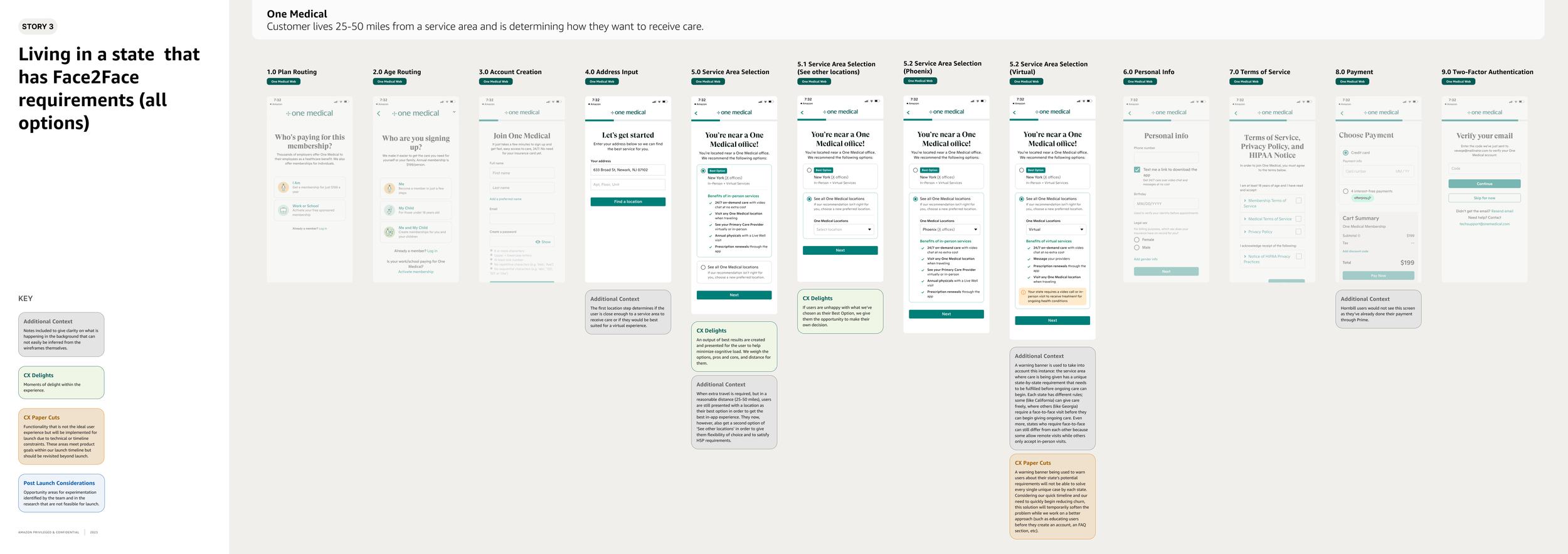
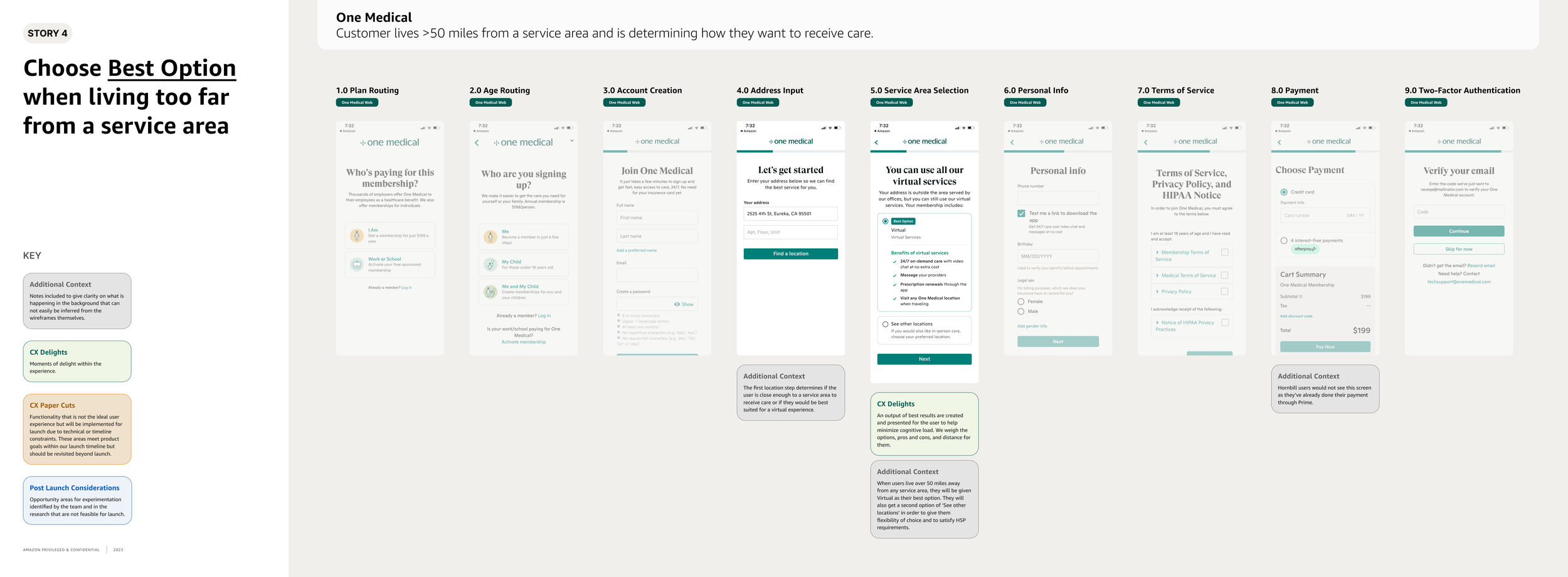
At the start, we knew we would be designing for customers who lived within a region and for those living too far from one. However, we soon realized that a third customer needed to be considered: someone who lived out of a region but could still possibly travel to one to receive care. I went through the Nationwide Care Matrix again and saw that each lettered scenario actually worked perfectly as use cases to match up with potential personas. As I was creating the next round of designs, I went through and separated each of the lettered use cases and matched them up with the user persona they best fit.
Second round of designs
Multiple flows, content adjustments, and state law nuances
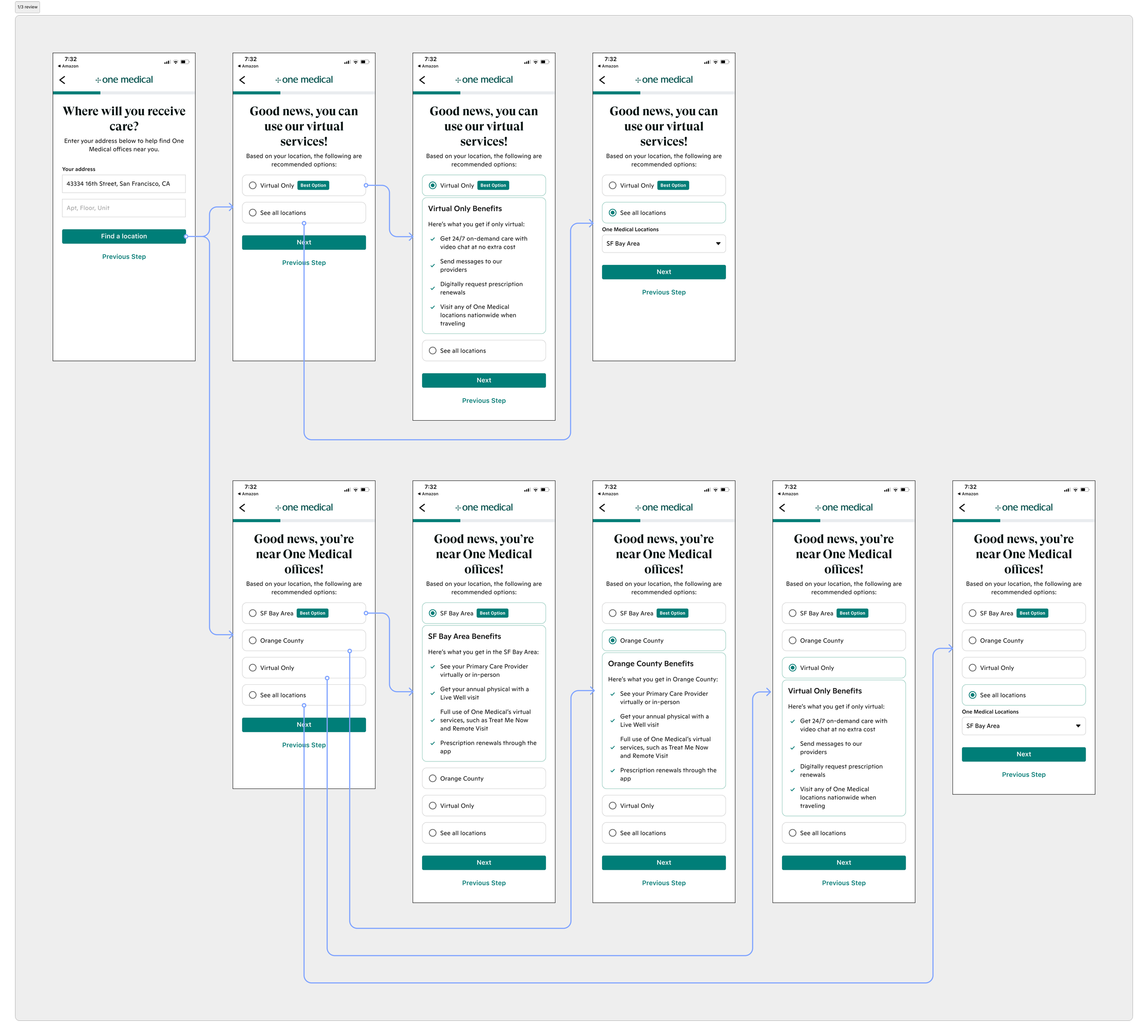
With the first exploration of potential design solutions and use cases completed, I moved on to now combining findings from both. For this next round of designs, I wanted to efficiently set care expectations for customers through the following: carefully curated written content that matched our brand language, avoiding cognitive load by presenting only absolutely must-have information so customers could confidently select a location, and displaying any state-specific laws that would impact the care that users could access. The state-specific laws was an incredibly important element I had to nail down because, if customers live in a state impacted by these laws, care that is crucial to them could become impossible to receive and lead them to leaving.
Review with the design team
Before going further down the road towards final designs, I decided to do a pulse-check with the rest of the design org during our weekly check-ins. During these meetings, we get to present our work and then ask for any specific feedback that we’re hoping to get. Here I was able to see if designs were heading in the right direction for what I was intending, my ideas for how to display state-specific laws to users, and what sentiments were of my first pass at copy. After receiving feedback, I went back and was able to make adjustments and additions.
Review with our Health Service Providers
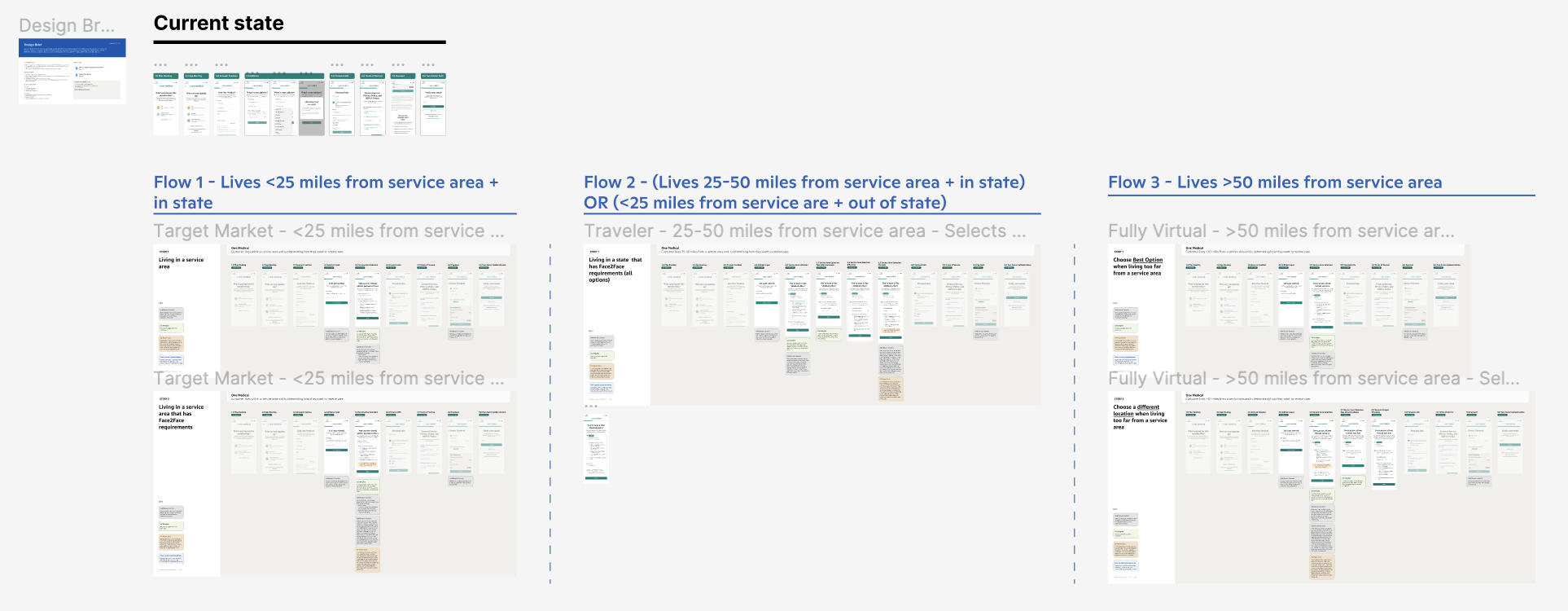
When the designs and content were farther along and in a better place, it was time to share it with our Health Service Providers. This meeting was to get their general feedback on the flow as well as if they believe the designs helped to solve for customers selecting their region if they lived by one. This was a large motivator on their end for this project to be launched and their input on how to communicate the state-specific laws was incredibly helpful. Included in this review as well was my manager, our product manager, our writer, and the engineering manager assigned to this project. After the review was completed, the five of us regrouped and discussed what our next steps would be. We were fairly comfortable with where the designs were at so, to be sure we were headed in the right direction, we felt it was time to now carry out further user research by running a usability test.

Usability Testing
Drafting a test plan
I partnered together with our UX Research Program Manager to pull together my desired objectives and questions together into an appropriate script/plan. I first drafted it out as a visual representation + prototype before documenting it and sending it out to the broader team for knowledge sharing. Questions I wanted answered were:
How well do users understand that choosing a service area provides them with both in-person AND virtual services?
How well do users understand the limitations that certain service areas may have because of certain states requiring an initial Face-to-Face appointment before receiving ongoing care?
The second radio button providing the dropdown of all locations:
- How well do users understand the caption and naming of the radio button? Does this caption and naming of the radio button create any confusion that may lead them to select an option that is not in their best interest (ex. lives in a service area, yet selects Virtual instead)?
- If a user would rather have a Virtual membership instead of one with in-person benefits as well, do they understand where they can find that?With both in-person and virtual results, does the copy on the page provide users with enough context as to why a service is being recommended to them? Will they have enough information to then have clear expectations as to what services they can and cannot use with One Medical?
The prototype that we were going to test through UserTesting was going to be sent to 12 individuals and split into groups of 6. Each group would receive a reverse order of flows so we could eliminate any bias.
Research Findings Report
The findings of the research were grouped into categories of main pain points and helped pave way for immediate changes that needed to be made and what could be left as a quick follow-up post-launch.
General confusion that was created either by the copy or the experience.
7 out of 12 participants chose the in-person + virtual membership.
5 out of 12 participants chose the virtual membership. Both groups chose based on assumptions made from the benefits list. There is a high chance we may not see more users choosing a physical location unless copy is explicit that in-person also has virtual benefits.
8 out of 12 participants desired transparency around pricing and accepted insurance plans at this stage of sign on. It was observed that these users want to make side-by-side comparisons to decide which service is going to be right for them.
5 out of 5 participants who chose Virtual as their preferred service did so because they believed the benefits listed were better than the in-person benefits. It wasn’t clear to users that virtual services are included in an in-person membership as well. An example of this is users choosing Virtual because it offered prescription renewals as a perk and this was not something listed for In-Person.
Users were confused with where they can switch to a Virtual membership.
8 out of 12 participants believed that Virtual should be a third radio button. Not everyone was familiar with the concept of Virtual being considered a location, so it is lost in the dropdown.
6 out of 6 participants who received the SF Bay Area as their first result were surprised when they got Virtual the second time. None of the visuals or copy indicated to them that there was even an option to have a solely Virtual membership. They wished this was more obvious to them.
Users desired more transparency and context as to how far away the nearest office was to them.
It was observed that 5 out of 12 participants had a desire to know how far away OM offices were from their location before making a decision. This means that transparency around location will give users confidence in their service choice.
4 out of 12 participants believed the “Explore other locations” dropdown would provide them with locations either ordered by distance from them, only locations in their state, or to show all offices in their service area. It wasn’t obvious to users that One Medical offices were nationwide.
9 out of 12 participants were able to correctly understand that the results they received after putting in their address was influenced by their distance from a One Medical office. It was observed that header copy in the first and second screen was clear and concise. The only other thing desired in this section was transparency on how far away a user was from an OM office.
Final Designs

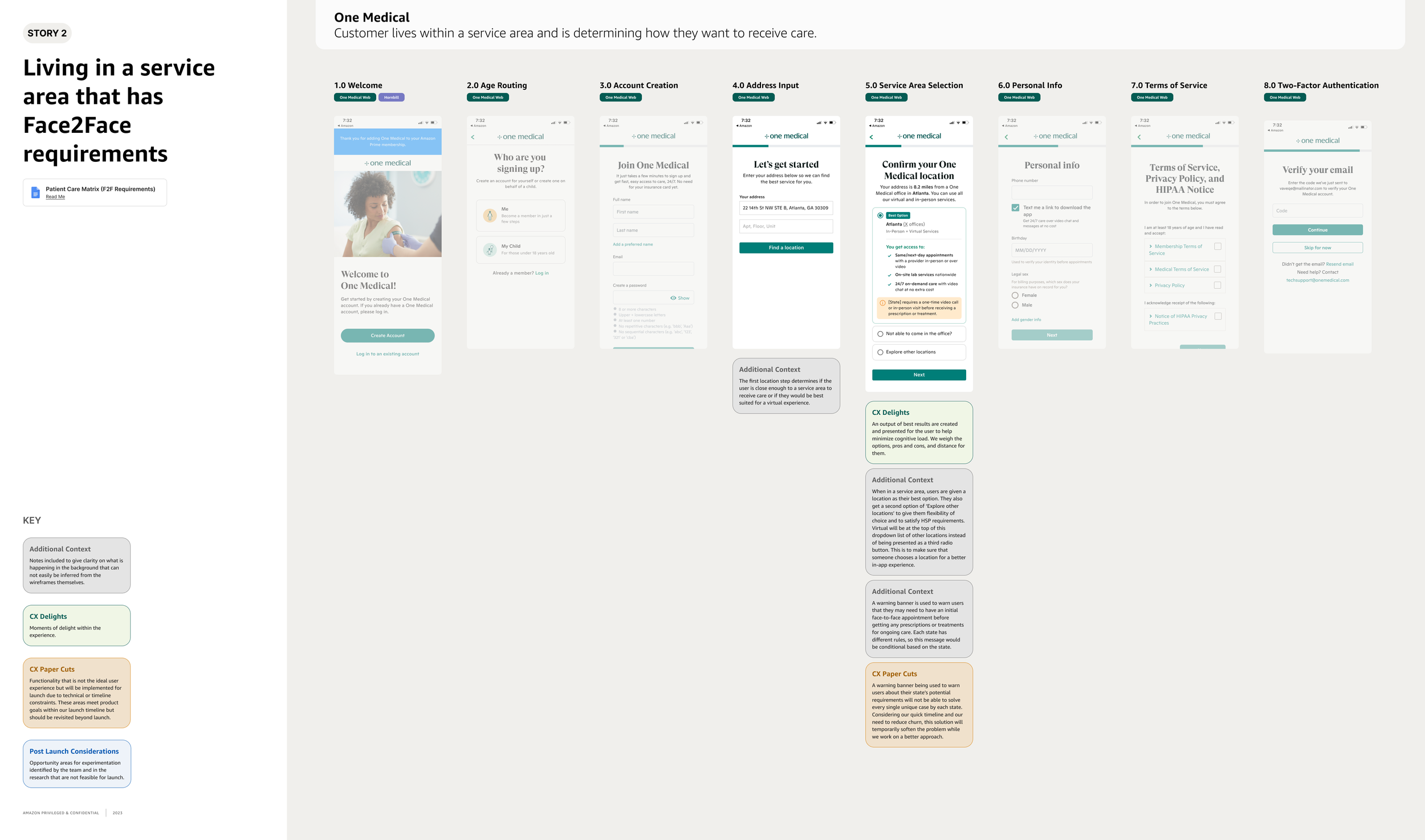


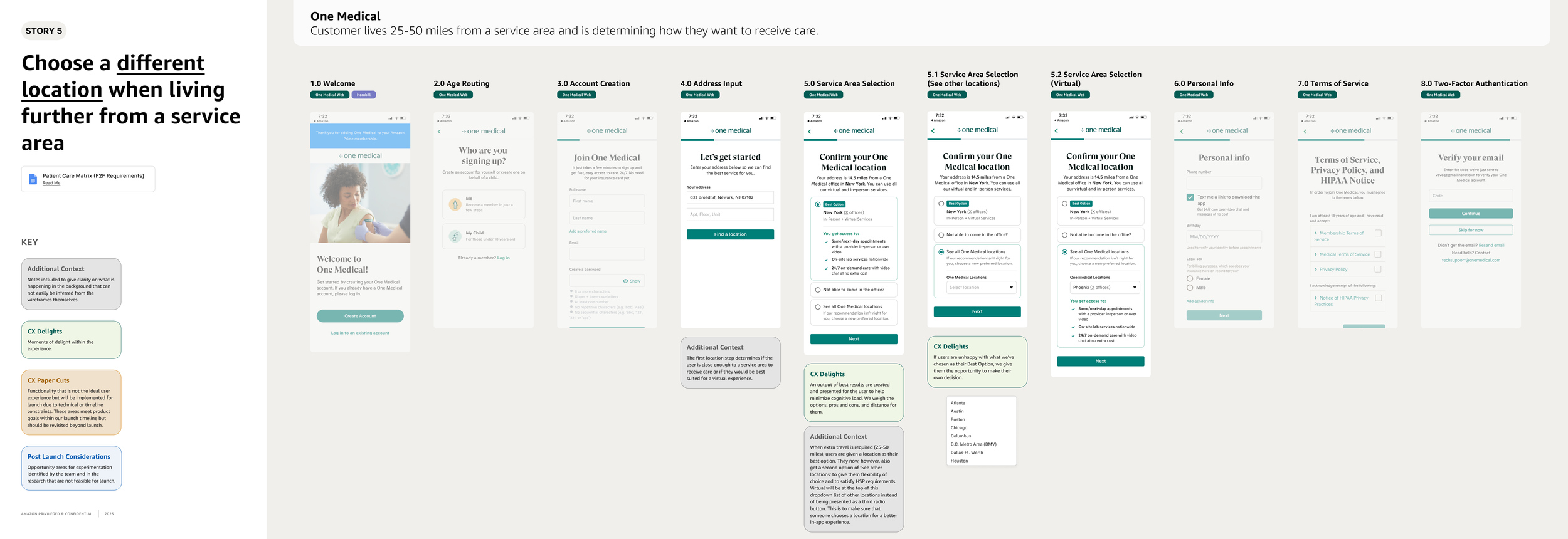
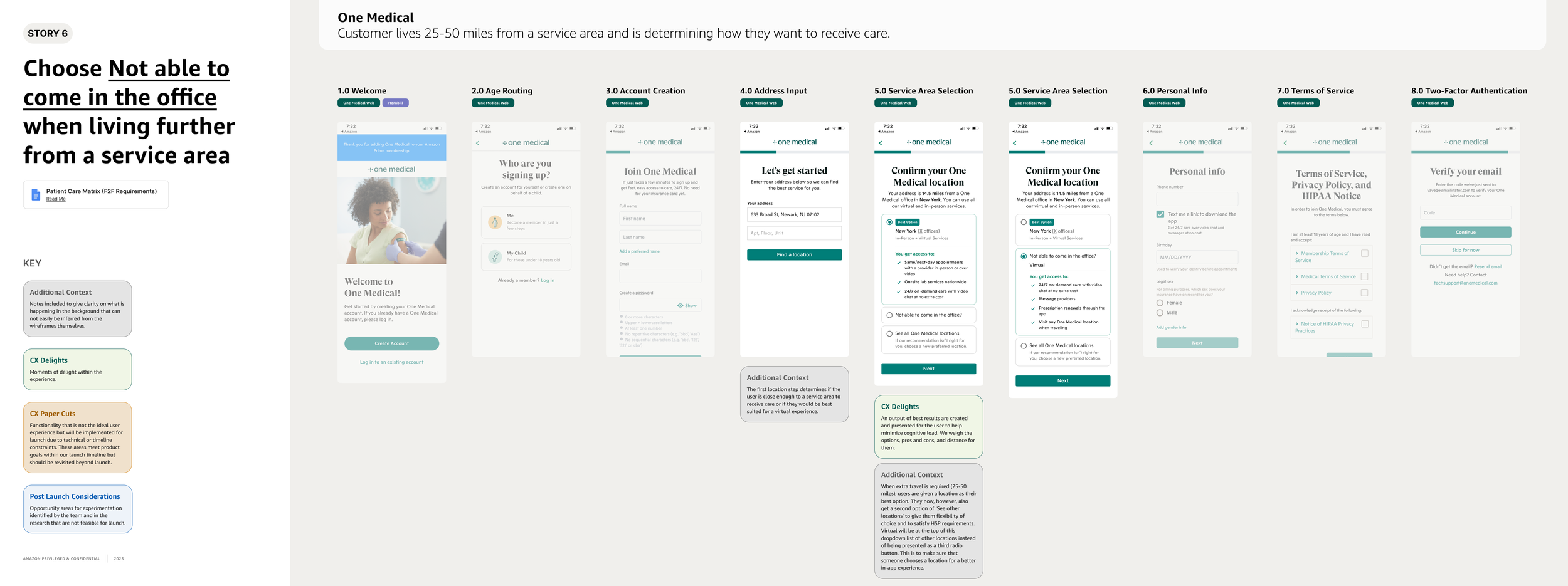


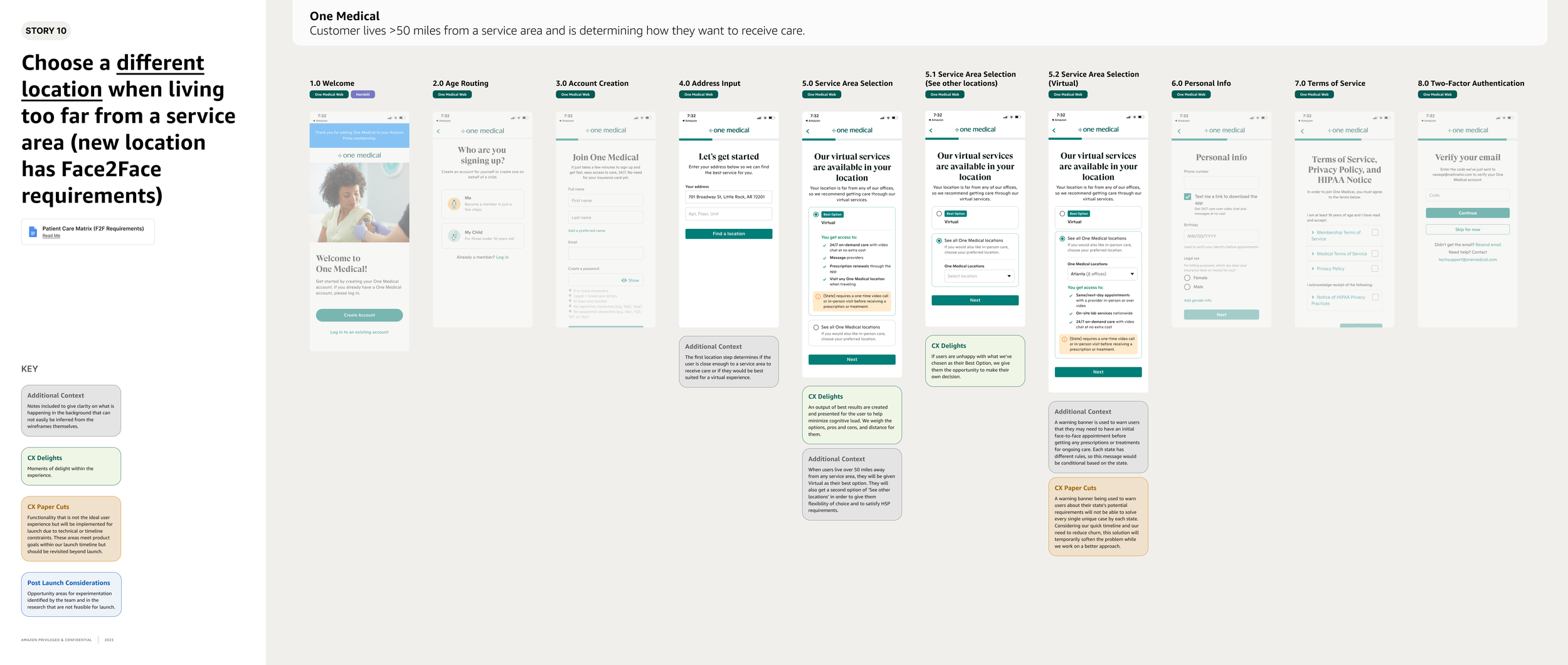
What’s left?
The project was complete and I was ready to get it in the hands of engineers. However, I was sad to learn that this project ended up becoming deprioritized for the time being. The initial plan was to monitor metrics every week for the first month and then carry out another round of user research to see what customer sentiments were. I have high hopes that this will soon become a top priority again and we can gain some great insights from this work.
If you would like to connect to learn more about the project that I haven’t included here, feel free to contact me 😊